The command palette
Destinations, actions and search groups in the command palette.
The palette (Cmd or Ctrl+K) finds orders, products, customers and pages, and offers "Go to" destinations and "Actions". A module adds destinations, actions and whole search groups.
When to use it
- Every nav item is already a "Go to" destination, with its count. Add a destination only for a page the nav doesn't hold, such as your settings page. To let other words find a nav item, add a destination with that item's route,
keywordsand nolabel: it adds the keywords to the item and shows no result of its own. - An action for a task the merchant starts from anywhere: "Review account requests", "Add product".
- A search group only for records the merchant looks up by name or number (Built for Light, rule 2).
How the palette searches
The palette asks the server once you stop typing, and drops the request before it. Every search group the admin may use answers: orders, products, customers and pages, the destinations and actions your di.xml adds, and any group of your own that implements GroupInterface:
Steps
1. A destination
A Destinations item (pool palette_destinations) in etc/adminhtml/di.xml: a label, a route, keywords it is found by, a resource and module. Core's own:
<item name="business_details" xsi:type="array">
    <item name="label" xsi:type="string" translate="true">Business details</item>
The pilot adds one for its settings page, because Settings cards don't show under "Go to" by themselves:
<item name="account_requests_settings" xsi:type="array">2. An action
An Actions item (pool palette_actions) has the same keys and a subtitle:
<item name="review_account_requests" xsi:type="array">Prop
Type
A destination or action with advanced true opens a stock screen in the advanced view and says so.
An action with command runs JavaScript instead of opening a page. command is an AMD module id of the form Vendor_Module/js/... (the palette drops any other value), and the palette calls that module's run() after it closes. The action's route then only lends the ACL of the controller behind it, next to resource. Core's "Clear cache" works this way: command Mrx_Light/js/cache asks first and then posts to light/cache/refresh.
An action with target _blank (since 0.3.0) opens its page in a new tab and leaves the admin where they were, for a screen outside the admin such as a visual editor. The palette closes and hands the focus back. A search group's result can carry the same target key next to its url (GroupInterface::search()).
3. A search group
A class that implements GroupInterface searches your records, registered in the GroupPool argument groups (pool palette_groups) next to core's:
<item name="destinations" xsi:type="object">Mrx\Light\Model\Search\Group\Destinations</item>public function search(string $query, int $limit): array;Light lets go of the admin session before it calls your provider, so badges, rows and search answers run in parallel: read the session, never write to it here; a write is lost.
Add words to a core entry
A module that sells in one country adds its own search words to a core entry by setting the entry's keywords again. This is a same-key change of a core item, which is tier 2 (Changing Light for one shop). Core's strings carry no country or provider words, and Light for the Netherlands puts kvk back on the Business details entry:
<item name="business_details" xsi:type="array">
    <item name="keywords" xsi:type="string">business details store information store name address contact vat btw kvk invoice currency time zone</item>
</item>
Write the whole string: your value replaces core's. Sequence the core module in your module.xml so your string wins.
What the admin sees
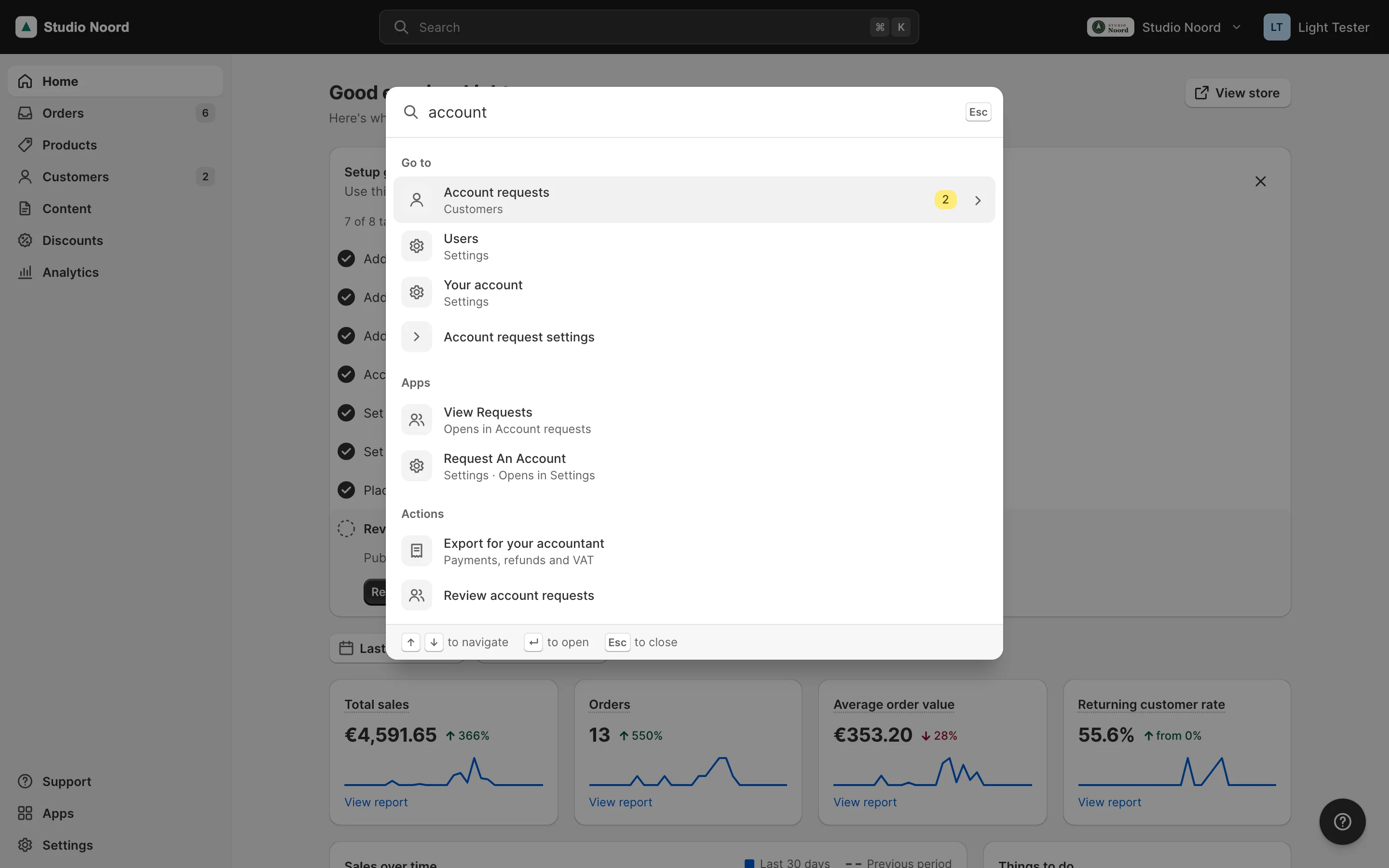
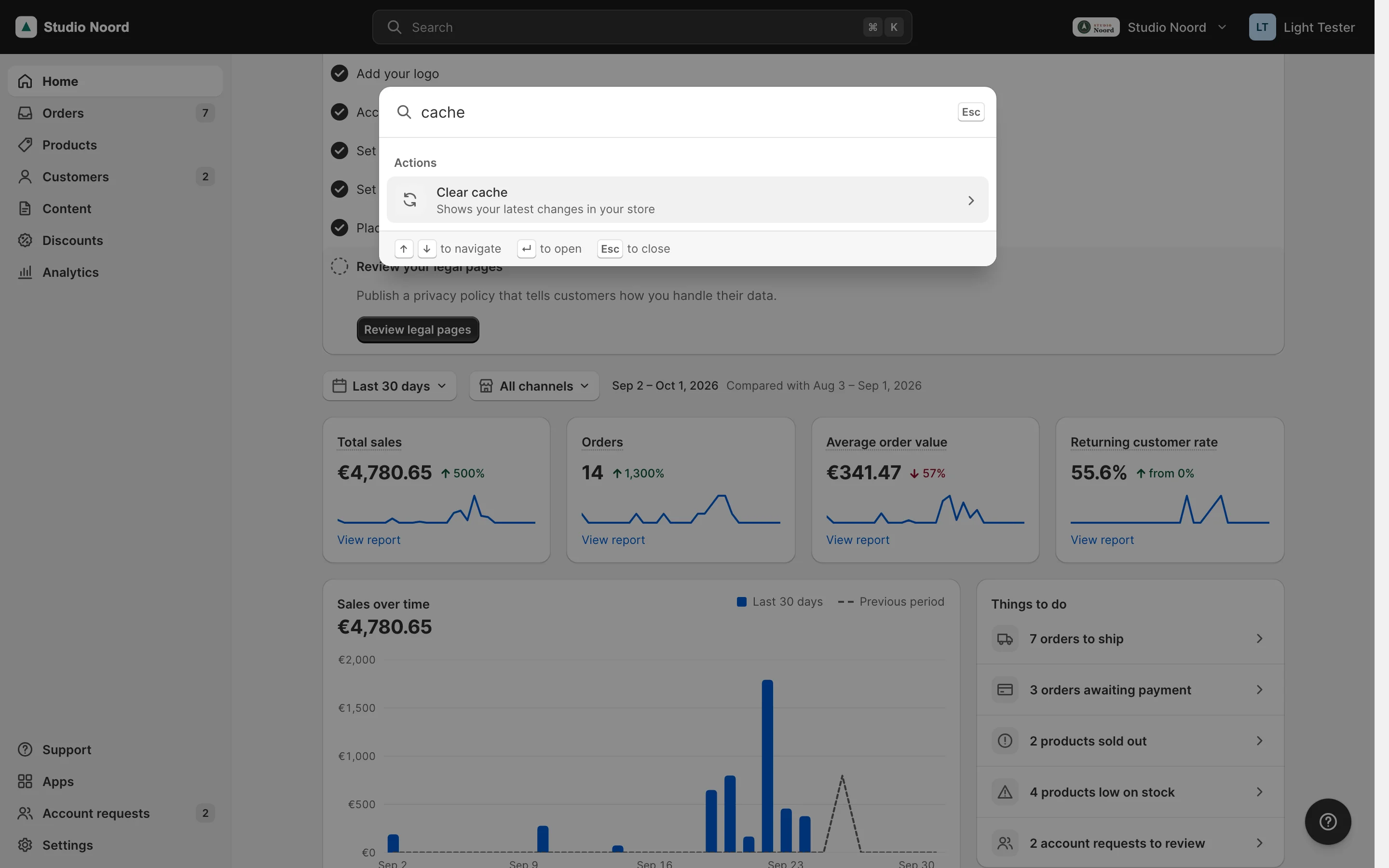
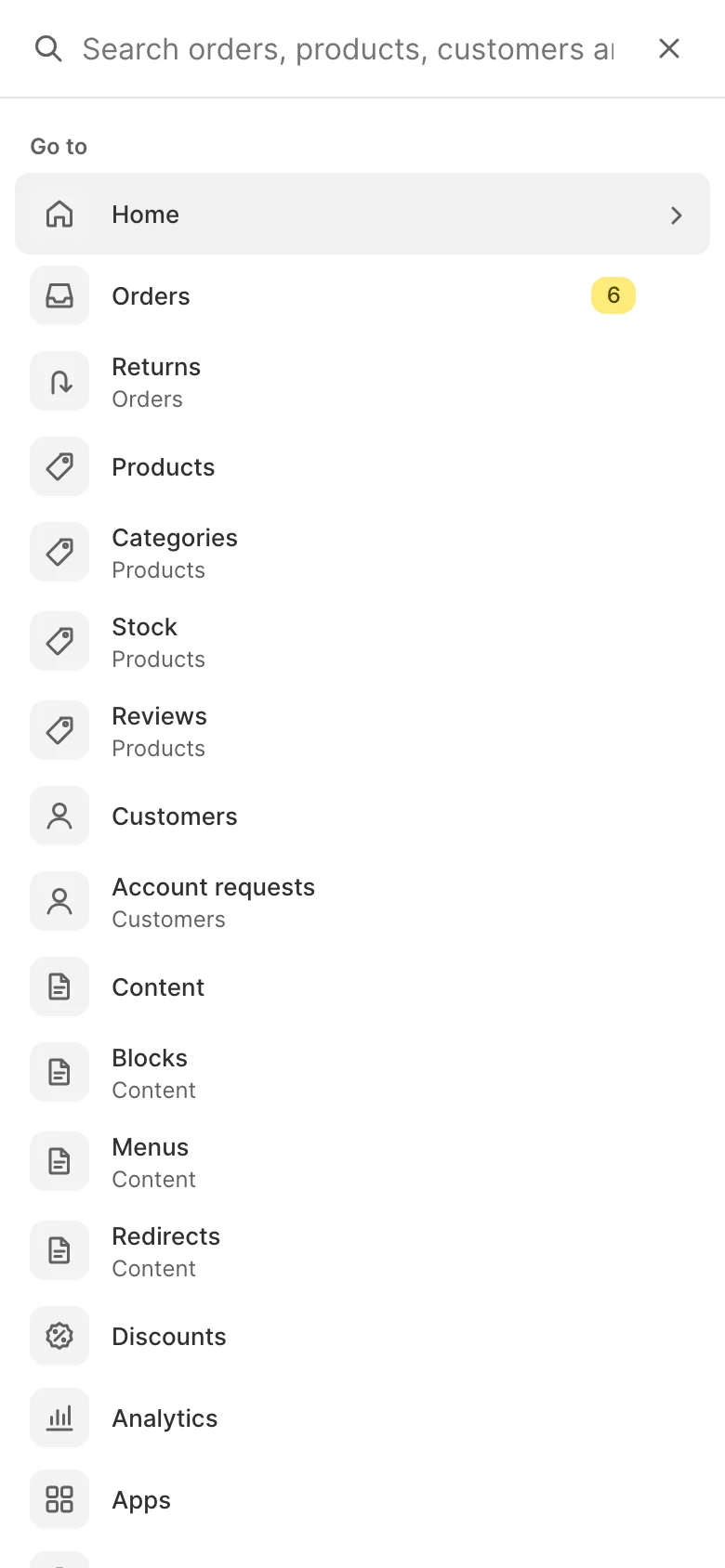
- Simple mode. "Account requests 5" under "Go to", "Account request settings" when the merchant types "account", and "Review account requests" under "Actions".
- Advanced mode. The palette is part of the Light shell, so it isn't there.
ACL
Each entry and group shows only with its resource, and getAclResource() guards a group.
Check it
bin/magento mrx:light:doctor --module=<your module>:unknown_keyandunknown_icon.- The pilot's browser test 7 searches the palette.
Pitfalls
- A search group runs on every keystroke: keep
search()to one indexed query, and respect$limit.
Last updated on