The advanced view, the route map and header actions
Send stock screens to your Light pages, link into the advanced view, and add header actions to other pages.
Simple mode sends a stock screen to the Light page that replaces it, and every Light page has a way to the stock screen behind it. This recipe wires your module into both directions, marks items that only make sense in the advanced view, and adds actions to other modules' page headers.
When to use it
- Your module replaces a stock grid or form with a Light page: map the stock route to it, so old links and bookmarks land on the Light page in simple mode.
- A screen that stays stock but belongs in the Light navigation gets
advanced, so the merchant knows it opens the stock admin. - An action on another module's page goes in More actions (Built for Light, rule 2).
Steps
1. The route map
A Redirect\Map item (pool redirects) in etc/adminhtml/di.xml is keyed by the stock full action name and names the Light route. params copies request parameters, condition decides per request, module gates it. Returns maps the RMA grid and edit screen:
<item name="rma_rma_index" xsi:type="array">
    <item name="route" xsi:type="string">light/returns/index</item>
    <item name="module" xsi:type="string">MageOS_RMA</item>
</item>
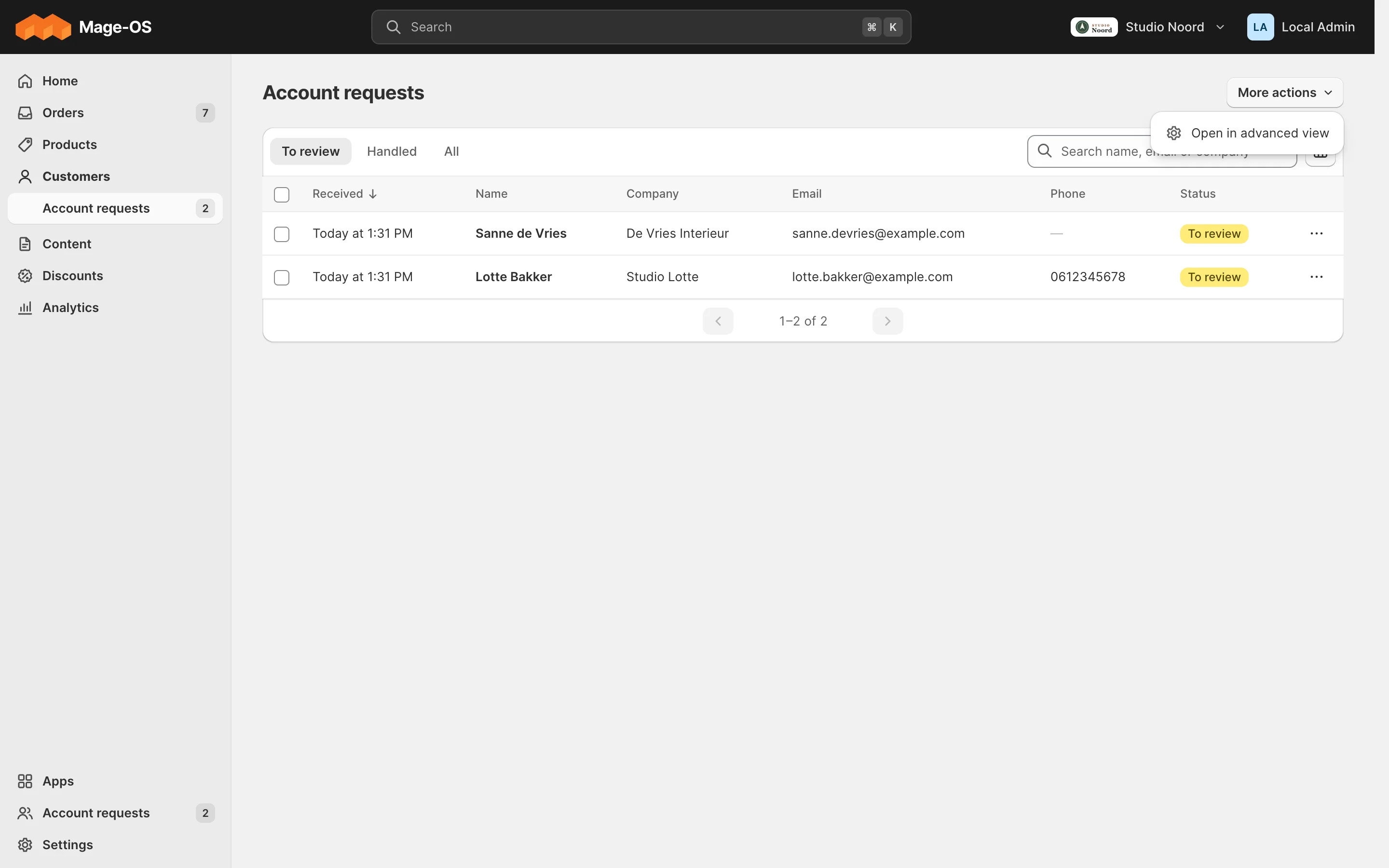
The map works both ways: the Light page's mode switch opens the stock screen through Map::reverse(). one_way leaves an entry out of the reverse direction.
2. The light route rule
The map only redirects to controllers on the admin front name light, and only in simple mode. Your controllers join that route with before="Mrx_Light", under a folder named after your module (Light developer guide).
3. Links into the advanced view
AdvancedUrlInterface::get() builds a link to a stock screen that stays open in simple mode, with the Light top bar around it. It adds this parameter:
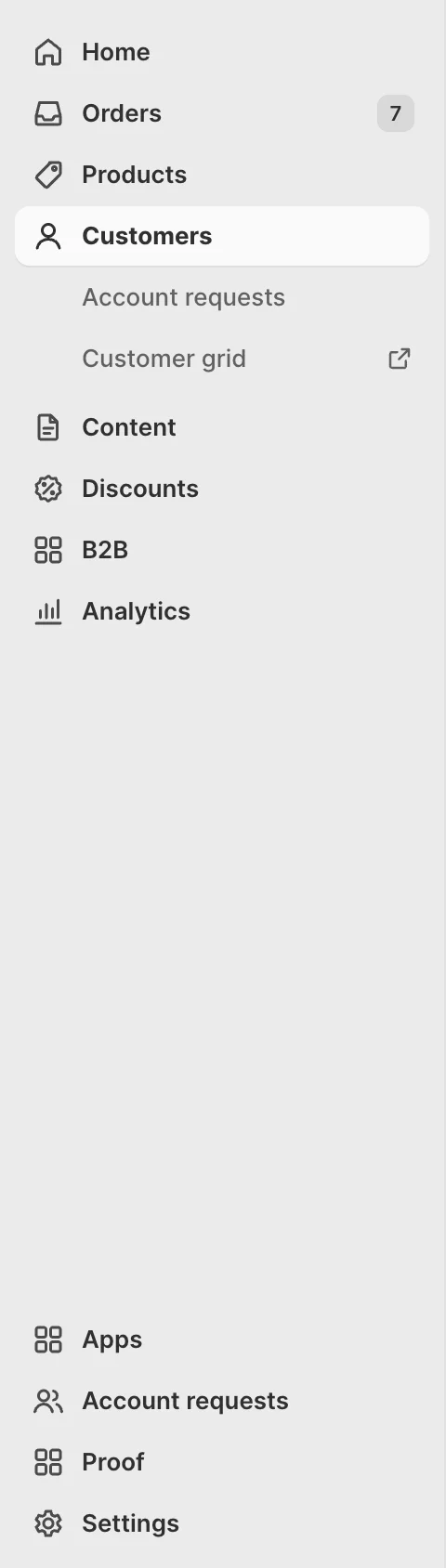
public const PARAM = 'mrx_stock';A nav or palette item with advanced true opens its stock route that way and shows "Opens in the advanced view". Acme_LightProof adds one under Customers:
<item name="advanced" xsi:type="boolean">true</item>4. The way back
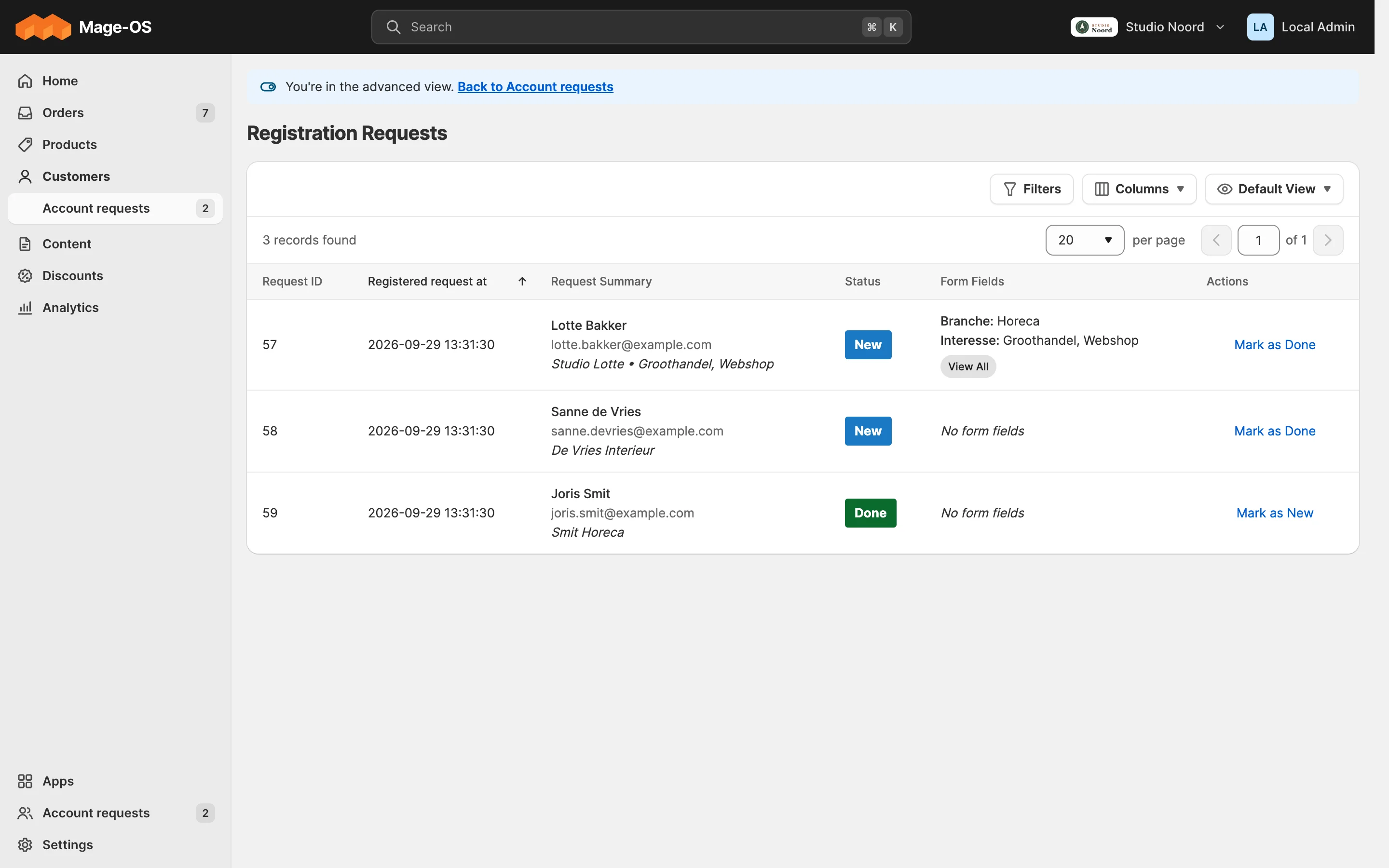
On a stock screen opened in the advanced view, the banner links back to the Light page. The map gives most screens their way back. A module whose stock screens don't map one to one registers a class that implements BackLinkProviderInterface in the AdvancedView argument providers (pool back_link_providers), or a section in the argument sections (pool back_link_sections) that names a Light route for a group of stock screens.
public function getBackLink(string $fullActionName): ?array;- It returns
label, the whole link text ("Back to Apps"),url, and optionallytext, which replaces the line under the banner's title ("Every setting is here, …"). Null leaves it to the next provider. - The banner takes the first answer from, in order: the route map, the referer, the Light page that opened the stock flow, the providers (by
sort_order, default 100), thesections, the nav item, and Home. When the referer or that Light page is the very page a provider links to (the same route, controller and action), the provider's link wins: it names the spot on that page, as Back to Apps opens the app's row. - A provider that throws, or answers an unsafe
urlor an emptylabel, is skipped.
5. The mode in code
ModeInterface tells your code which mode the admin works in, in the admin area only:
public function isStockView(): bool;Layout uses the handles mrx_simple and mrx_advanced instead. Your own Light pages show the "Only available in the advanced view" hint with the AdvancedHint block (A settings page from your system.xml).
6. Header actions on other modules' pages
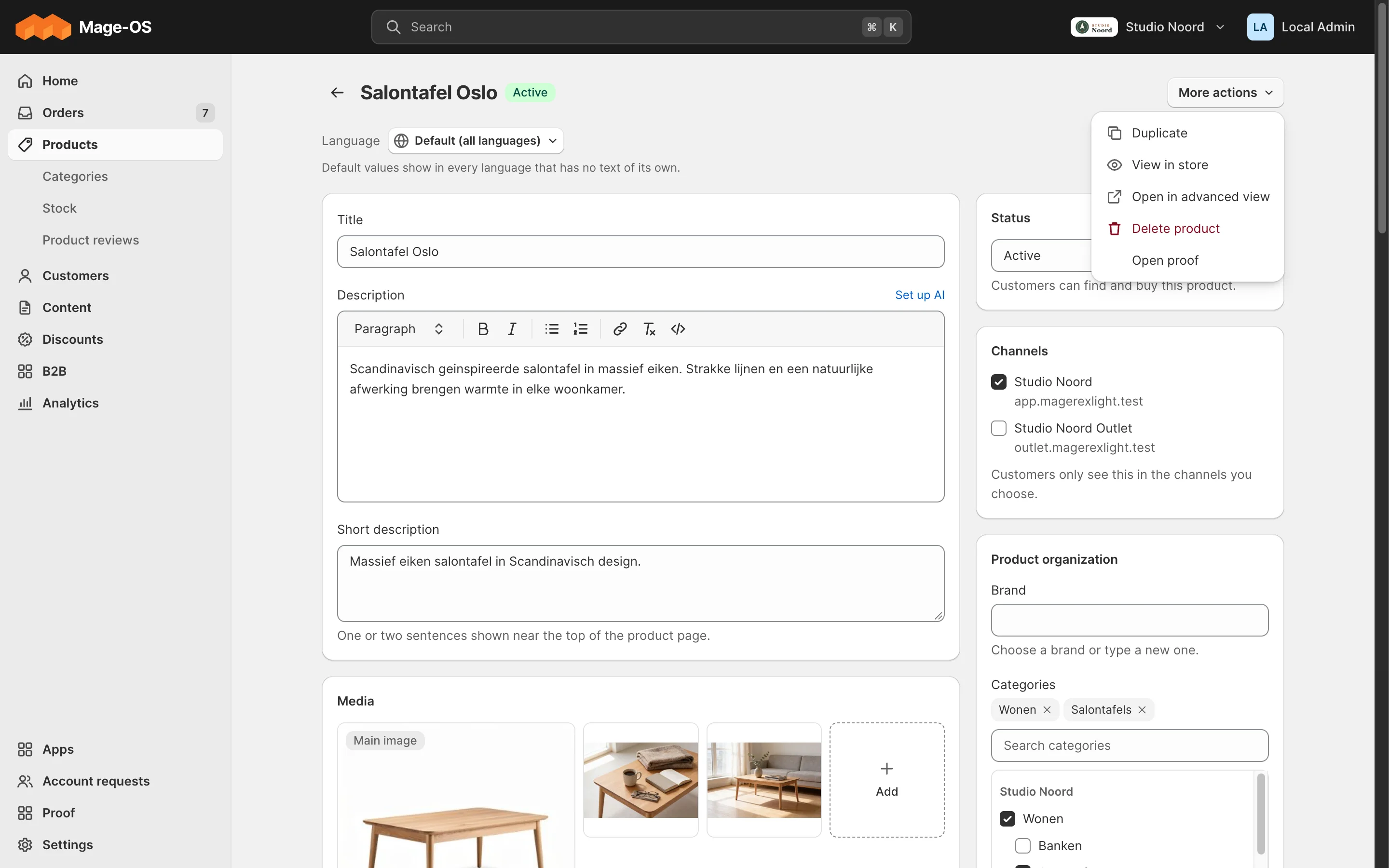
A PageHeader\ActionPool item (pool header_actions) is keyed by the page's full action name, then by your key. It always lands in More actions; there is no key to put it elsewhere. condition names a class that implements ActionConditionInterface. Since 0.3.0, target _blank opens the link in a new tab (target="_blank" rel="noopener"), for a screen outside the admin such as a visual editor; any other value is ignored and the link opens in the same tab. Use it where leaving the page would drop the admin's place, and say so in the label when it isn't obvious. Acme_LightProof adds "Open proof" to the product editor:
<item name="acme_proof_open" xsi:type="array">
<item name="label" xsi:type="string" translate="true">Open proof</item>Acme_LightProof's top-level nav item, b2b category and default pin prove the mechanism; they are not a pattern to copy (An app, its category and pins).
What the admin sees
- Simple mode. The stock URL opens your Light page. An
advanceditem carries the "Opens in the advanced view" icon and keeps the Light shell around the stock screen, with a banner back to Light. A header action sits under More actions. - Advanced mode. Stock screens as they are; the map doesn't redirect.
ACL
A redirect only happens when the admin may open the Light page; a header action checks its resource.
Check it
bin/magento mrx:light:doctor --module=<your module>:light_collisionfor a controller path another module claims,unknown_referencewith kindpagefor a header action on a page no Light route serves.tests/playwright/pilot-request-an-account.spec.tstest 4 checks the map and the way back.
Pitfalls
- A stock screen that keeps jumping back to Light: the link lacks
mrx_stock=1; build it withAdvancedUrlInterface(Troubleshooting). - A redirect to a Light page whose module is off is skipped, so the stock screen stays reachable.
Last updated on
Your module's email and document
Customer emails and PDF documents in the shop's look: the body-only contract, the classes, the two tokens, the documents, item_lines, document_sections and pick_locations pools, a client format, and what an agency can change.
Users and permissions
Put your ACL resources in a role area, so roles reach your screens.