Your own list and detail pages
Your own list page, detail page and JSON endpoints on the light route.
A module with its own records needs a Light list, a detail page and endpoints that change the records. This recipe follows the pilot's pages. Editors with a save bar follow Design system, section 6; the page skeleton is section 2 and the header section 3. The scaffold doesn't write editors yet, so this page quotes the pilot.
When to use it
- The merchant works through your records every day. Otherwise the stock grid in advanced mode is enough (Built for Light, rule 2).
Steps
The pilot's pages and endpoints:
1. The list page
A controller on the light route that extends AbstractPage, with its title, its ACL resource and the nav item it highlights:
public const ADMIN_RESOURCE = 'Disrex_RequestAnAccount::disrex_registration_requests';Its layout puts the list in content (Light lists). Each row's url opens the detail page:
'url' => $this->url->getUrl('light/accountrequests/view', ['id' => $id]),2. The detail page
Another AbstractPage controller answers 404 for an unknown id and uses the record's name as the title. A view model gives the template what it shows:
public function getCustomerUrl(): ?stringThe page header carries the primary action ("Mark handled", or "Reopen") and a critical "Delete" under More actions, through the PageHeader block. A small RequireJS module posts them:
api.post(3. Status and delete endpoints
JSON controllers extend Magento\Backend\App\Action, implement HttpPostActionInterface, carry #[RequiresModule], read ids[], and answer {success, message}. After a change they drop the nav count (A nav item with a counter):
public const ADMIN_RESOURCE = 'Disrex_RequestAnAccount::request_delete';4. Icons
Nav items, to-dos and cards name an icon. Use a core icon; the generated reference lists them. A module that needs its own adds it to the Icons argument paths (pool icons): the name maps to the SVG shapes, and #mrx-config key icons hands it to the JS, so Mrx_Light/js/icons renders it too. Draw for a 20 by 20 viewBox; the <svg> around your shapes sets stroke="currentColor", width 1.5 and round caps and joins. The markup is trusted and rendered as it is, and a name that exists replaces the core icon. The doctor's unknown_icon catches a misspelled name.
A part of the page that fetches its content later, and a button that waits for its request, use Mrx_Light/js/loader: loader.during(region, request, {preset}) shows a skeleton shaped like what is coming and loader.button(button, request) the button's spinner. Never show the word "Loading" as text (Design system, Loading states).
What the admin sees
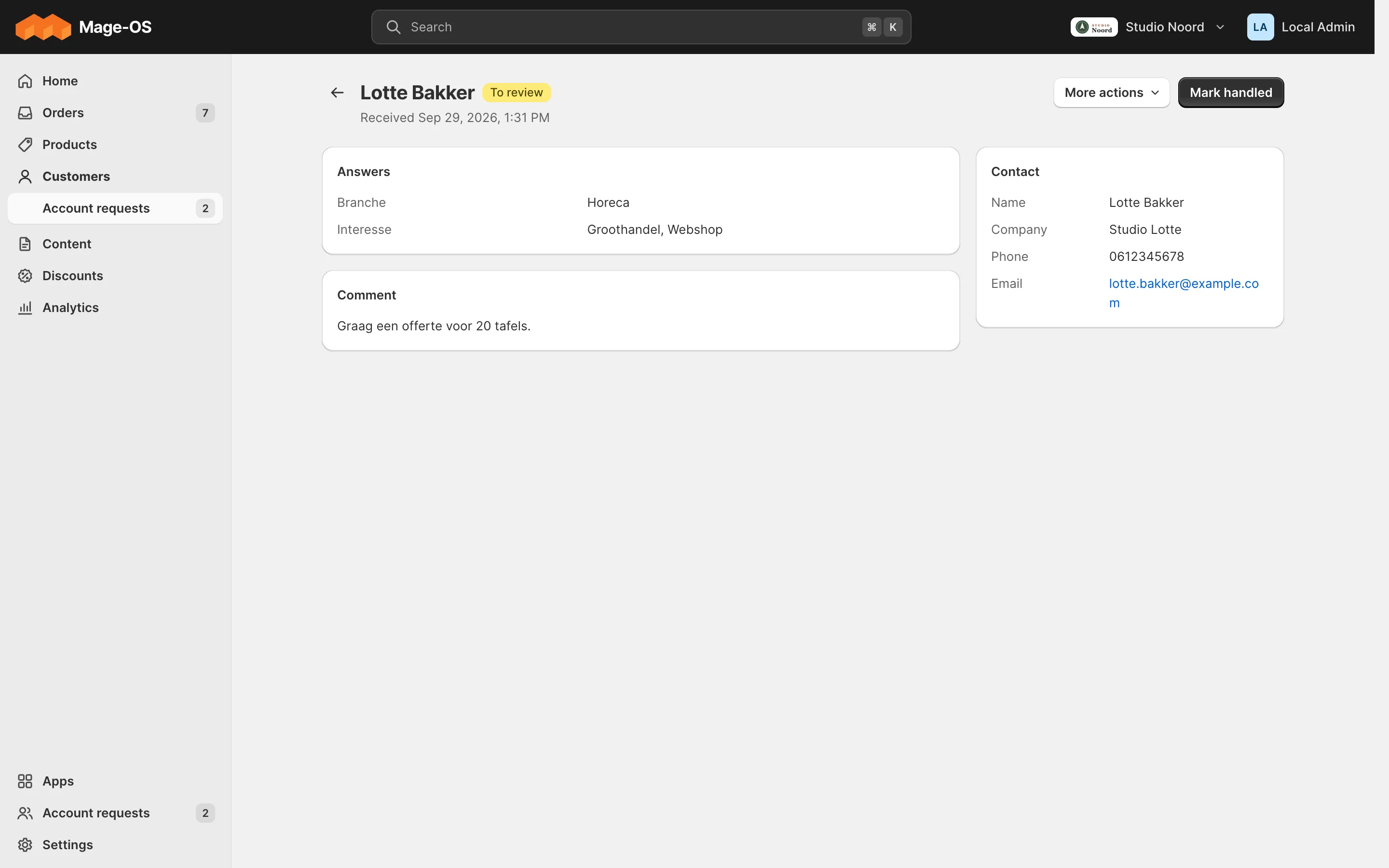
- Simple mode. Customers > Account requests opens the list; a row opens the request with its contact details, answers and comment; "Mark handled" moves it to the Handled tab.
- Advanced mode. The module's stock grid.
ACL
Each controller has its own ADMIN_RESOURCE: view, update status and delete are separate resources of the bridged module.
Check it
bin/magento mrx:light:doctor --module=<your module>:light_collisioncatches a controller path another module also claims.tests/playwright/pilot-request-an-account.spec.tstests 2 and 3.
Pitfalls
- Keep a gated controller's constructor free of the bridged module's classes: inject a
\Proxyof your own service. - Detail pages are bookmarked: never rename a
light/<controller>path (Versioning).
Last updated on