Locations and pickup
Reading a shop's locations, what simple mode means, and how Light keeps stock, shipments and pickup in Magento's own inventory.
A location is a place that holds stock: the business address, a warehouse, a shop where customers pick up. Light shows Magento's Multi-Source Inventory (MSI) sources as locations, in Settings > Locations, on the product's Stock card, on the Stock page, in the Ship dialog and on pickup orders. Light is a layer on top of MSI and In-Store Pickup: it calls their services and never writes their tables, so your module reads stock, shipments and pickup the way it would on a stock Magento shop. This recipe covers reading locations, the two modes and what Light changes in Magento. How Light fits together draws the parts.
When to use it
- Your module shows where stock is, prints where a parcel leaves from, or lists pickup points: read them through
LocationsInterfacerather than from MSI's tables, so simple mode gets the business address too. - Your module adds a screen or a setting that only makes sense with several locations: gate it on locations mode, so a shop with one location sees nothing new (Built for Light, rule 4).
- Your module changes stock or ships: keep doing it through MSI's services. Light picks it up.
Steps
1. Read the locations
Mrx\Locations\Api\LocationsInterface (@api since 0.2.0) answers five questions: are Magento's inventory modules on (isAvailable()), does the shop keep stock per location (isMultiLocation()), the locations in shipping order (getLocations()), the one the shop ships from first (getMain()) and the locations a channel sells from:
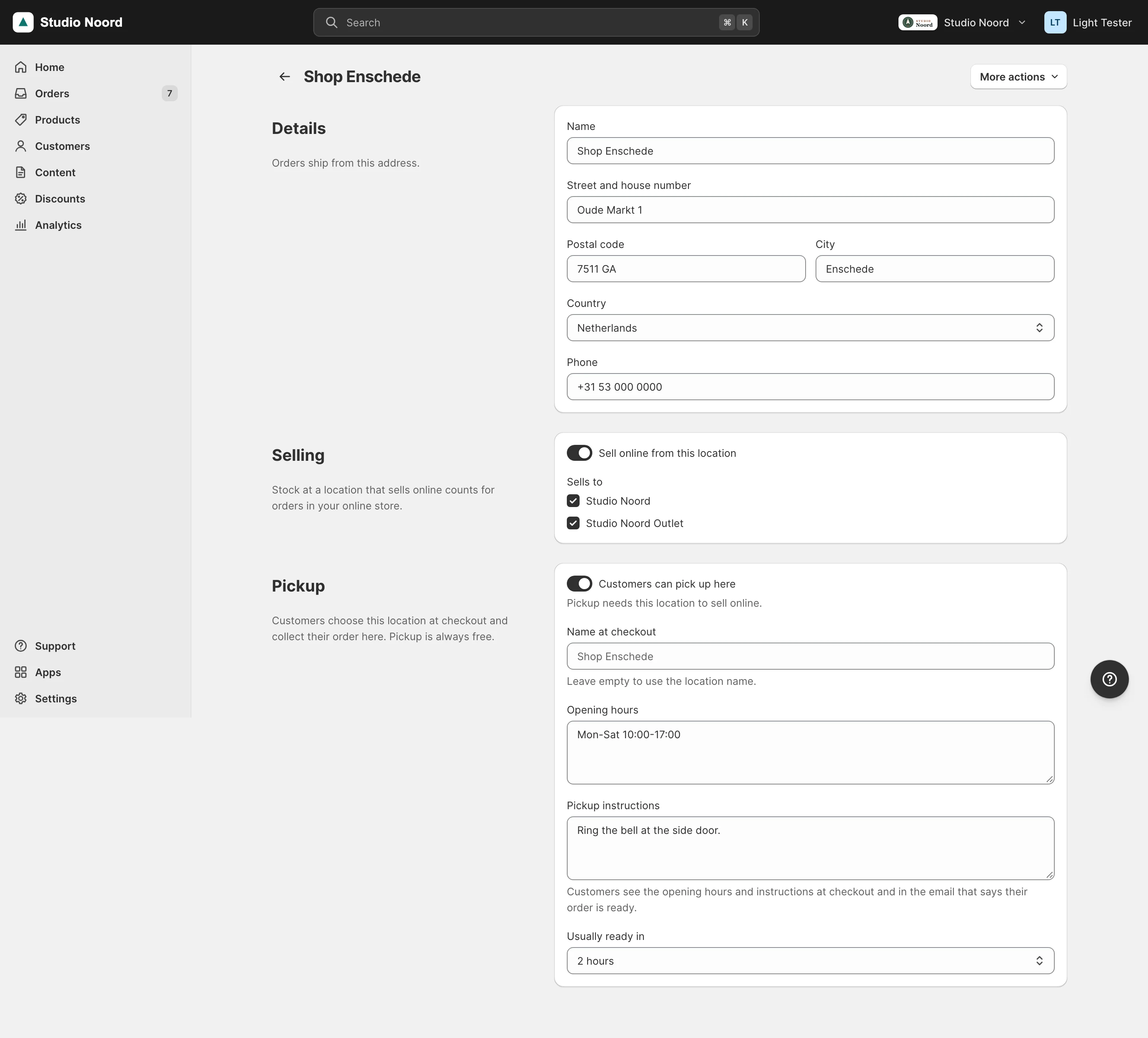
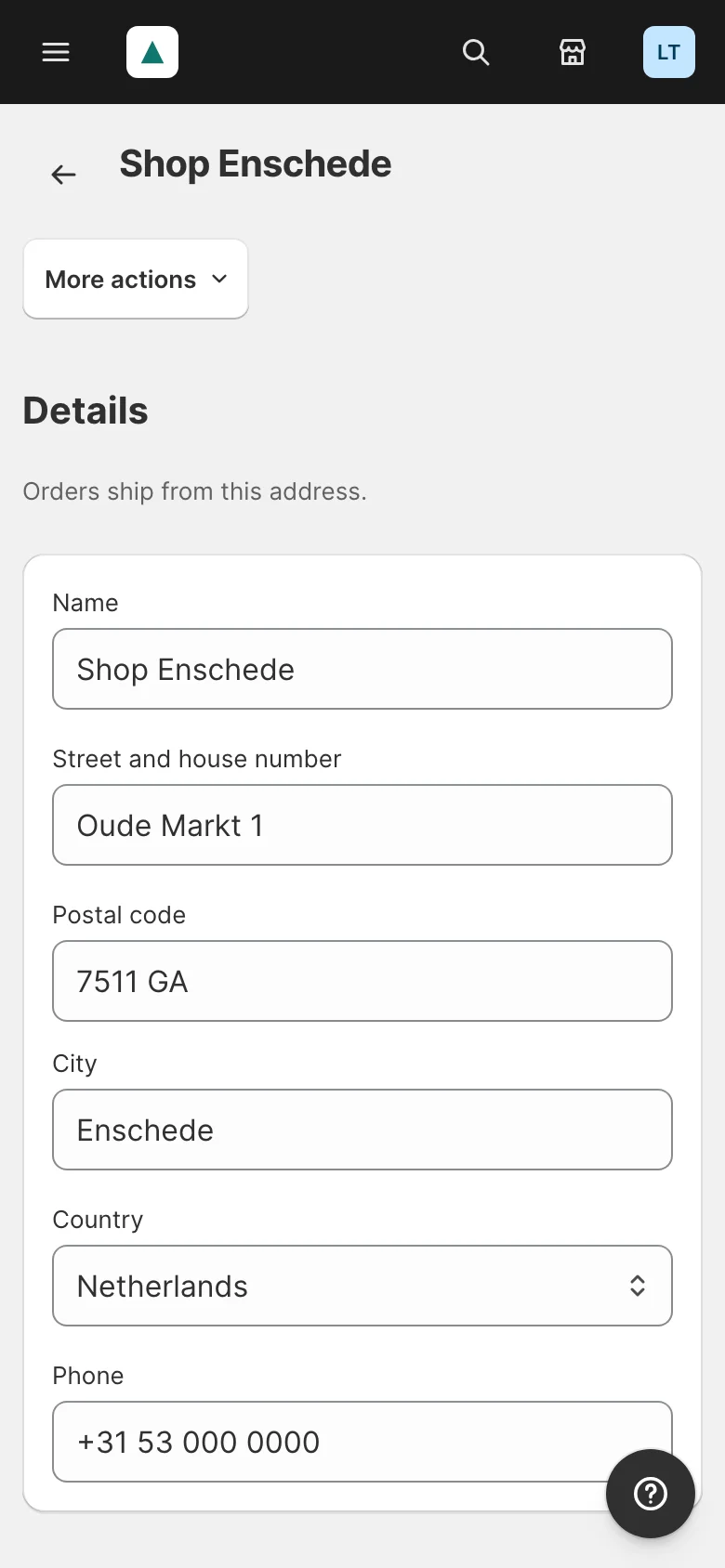
public function getForChannel(int $websiteId): array;Each location is a read-only Mrx\Locations\Api\Data\LocationInterface: code (the MSI source code), name, address lines, phone, whether it is enabled, sells online and offers pickup, the name at checkout, opening hours, pickup instructions, "Usually ready in" (1h, 2h, 4h, 24h, 2-4d) and its channels. Change a location through MSI's SourceRepositoryInterface or Settings > Locations; the read model never writes. API reference lists every member.
2. Simple mode and locations mode
isMultiLocation() is false while MSI is off, or on with one enabled source. That is simple mode: one location, code '', built from Business details (general/store_information/*), and pickup is Light's own carrier at the business address (carriers/mrxpickup). Every Light screen and every write is then the one-quantity one: no location select, no "Ships from", nothing that says location outside Settings > Locations. Light's own counters branch on it the same way:
return $this->locations->isMultiLocation() ? $this->manager->oldLocationItems() : 0;Locations mode starts with the merchant's first "Add location". Every enabled source except Magento's default source is then a location, in the drag order of Settings > Locations. There is no way back to simple mode: MSI can't delete a source or disable default, and Light offers no step back.
A pool item that only belongs to a shop with MSI names Magento_InventoryApi as its module, so ModuleGate drops it while the inventory modules are off. Settings > Locations registers its tile that way:
<item name="locations" xsi:type="array">
    <item name="label" xsi:type="string" translate="true">Locations</item>
    <item name="description" xsi:type="string" translate="true">Where you keep stock and where customers pick up</item>
    <item name="icon" xsi:type="string">location</item>
    <item name="route" xsi:type="string">light/settings/locations</item>
    <item name="page" xsi:type="string">locations</item>
    <item name="module" xsi:type="string">Magento_InventoryApi</item>
    <item name="section" xsi:type="string">store</item>
    <item name="sort_order" xsi:type="number">40</item>
</item>
The settings_pages item locations (Mrx\Locations\Model\Page\Locations) carries #[RequiresModule], so light/settings/locations answers 404 without MSI. Use the same two gates for your own items and classes (Versioning).
3. What Light writes, and where
Light keeps every number where MSI keeps it, so a module that reads MSI keeps working:
- Quantities are source items, saved through
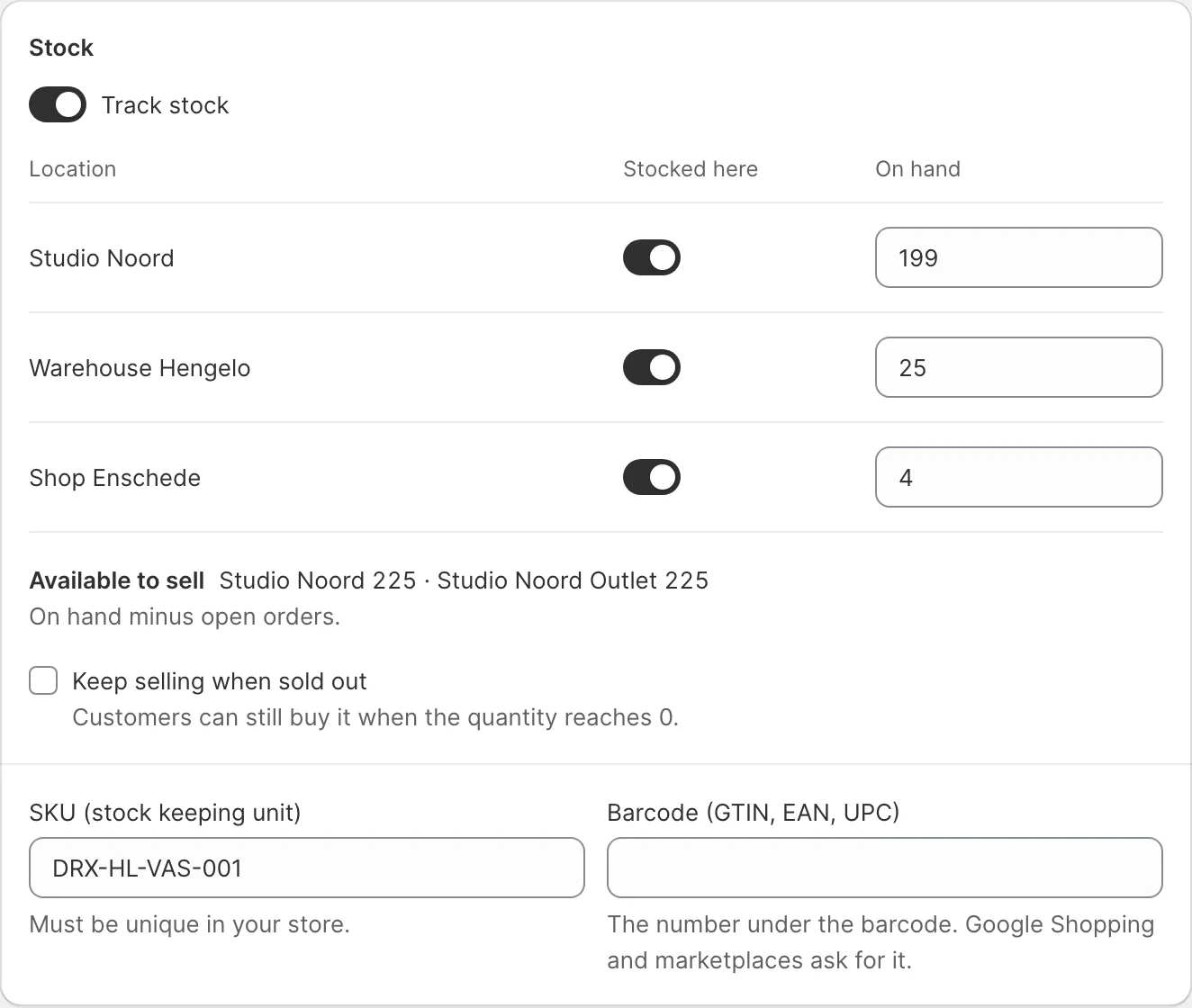
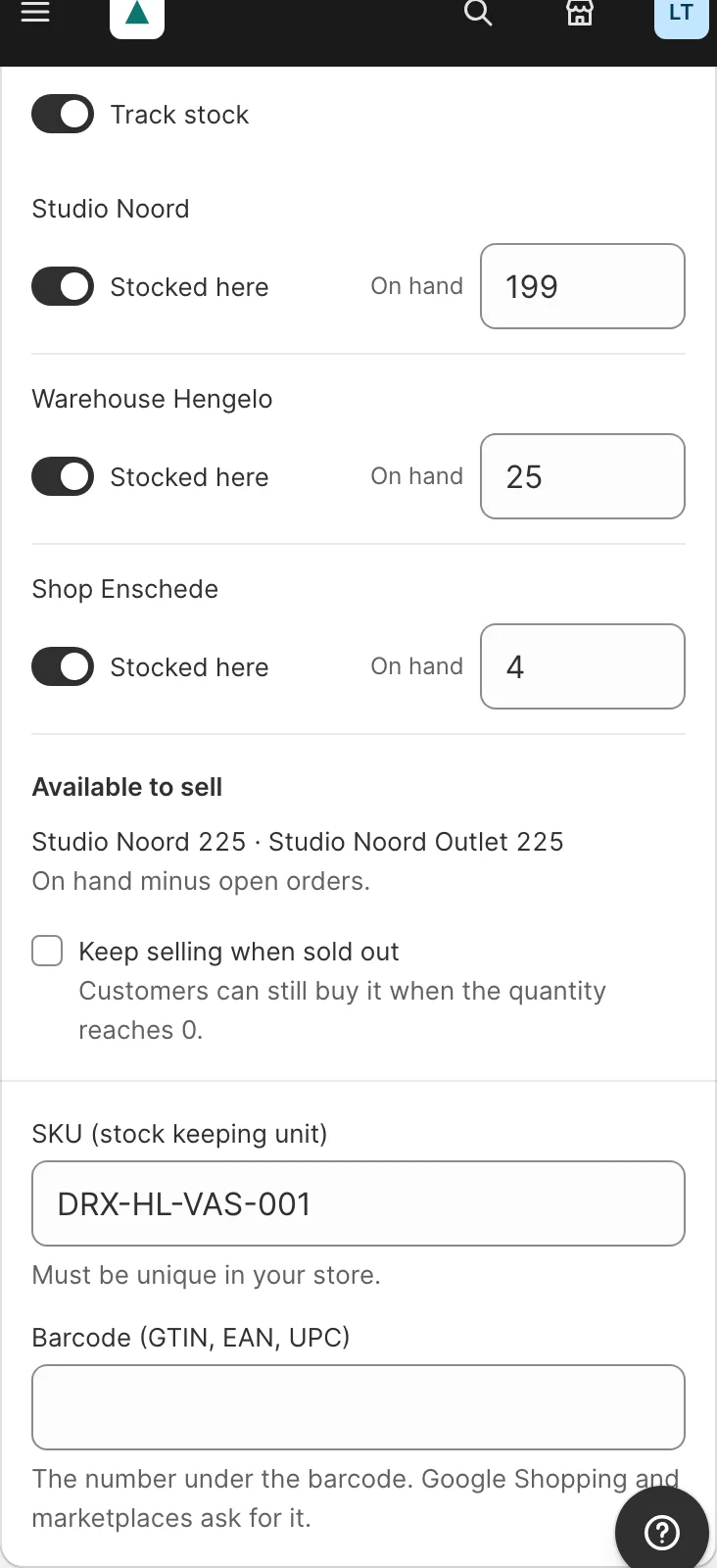
SourceItemsSaveInterfaceand removed throughSourceItemsDeleteInterface. "Available to sell" is MSI's salable quantity of the channel's stock. Read them withGetSourceItemsBySkuInterfaceandGetProductSalableQtyInterface. - Stocks. All channels sell from one stock Light makes, named "Light stock" in the advanced view, which links the locations in the drag order (the link priority). A channel gets a stock of its own only when the merchant unticks a location for it. Light changes only the stocks it made (they have a row in
mrx_location_stock); a stock made in the advanced view is shown read-only. - Shipments carry the location they ship from as MSI's
source_code, so MSI deducts there and a refund with restock puts the stock back there. Light's internalMrx\Orders\Model\Service\ShipItems::ship()takes it as its last, optional argument; without one it ships from Magento's priority suggestion. - Pickup is Magento's In-Store Pickup (
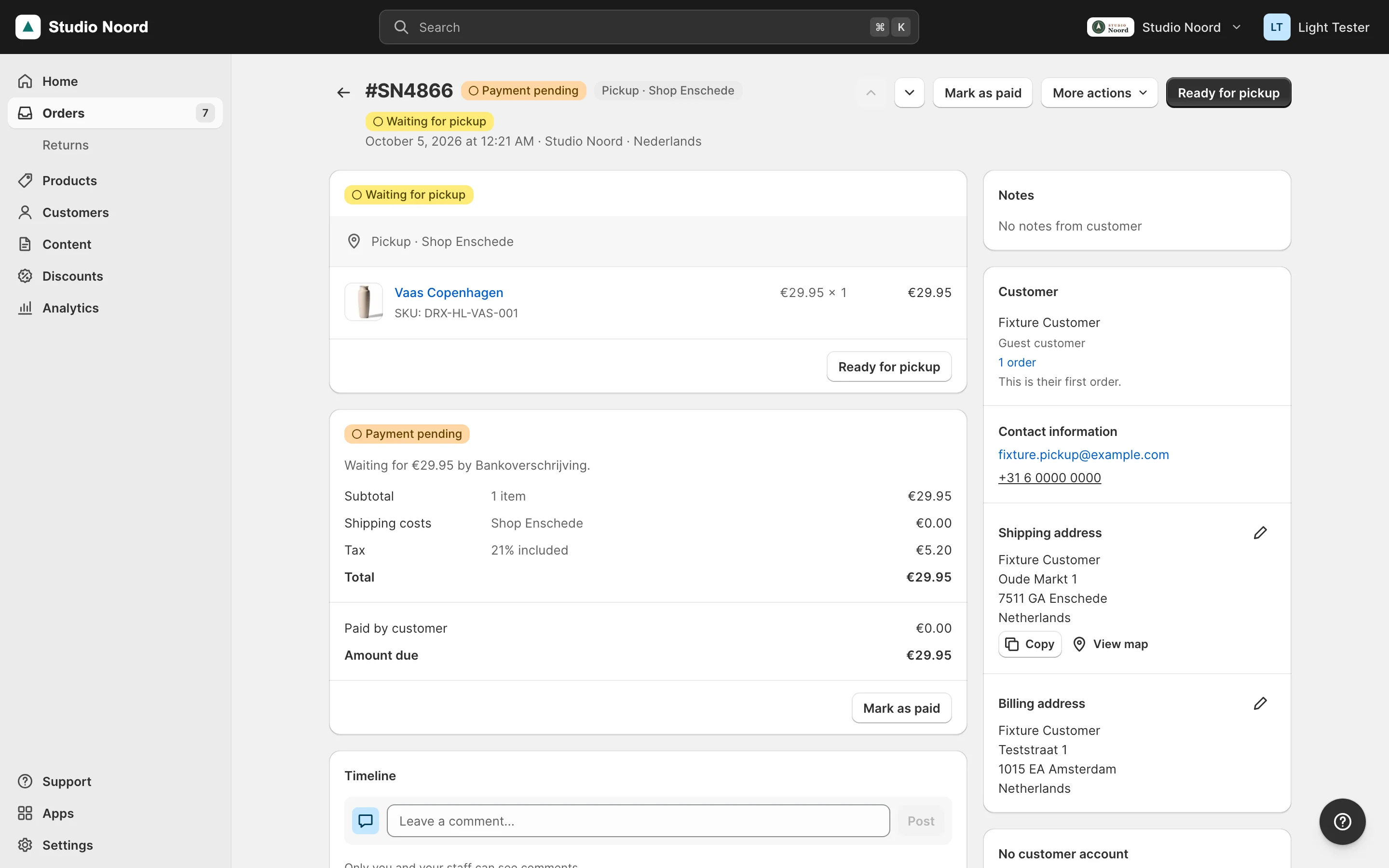
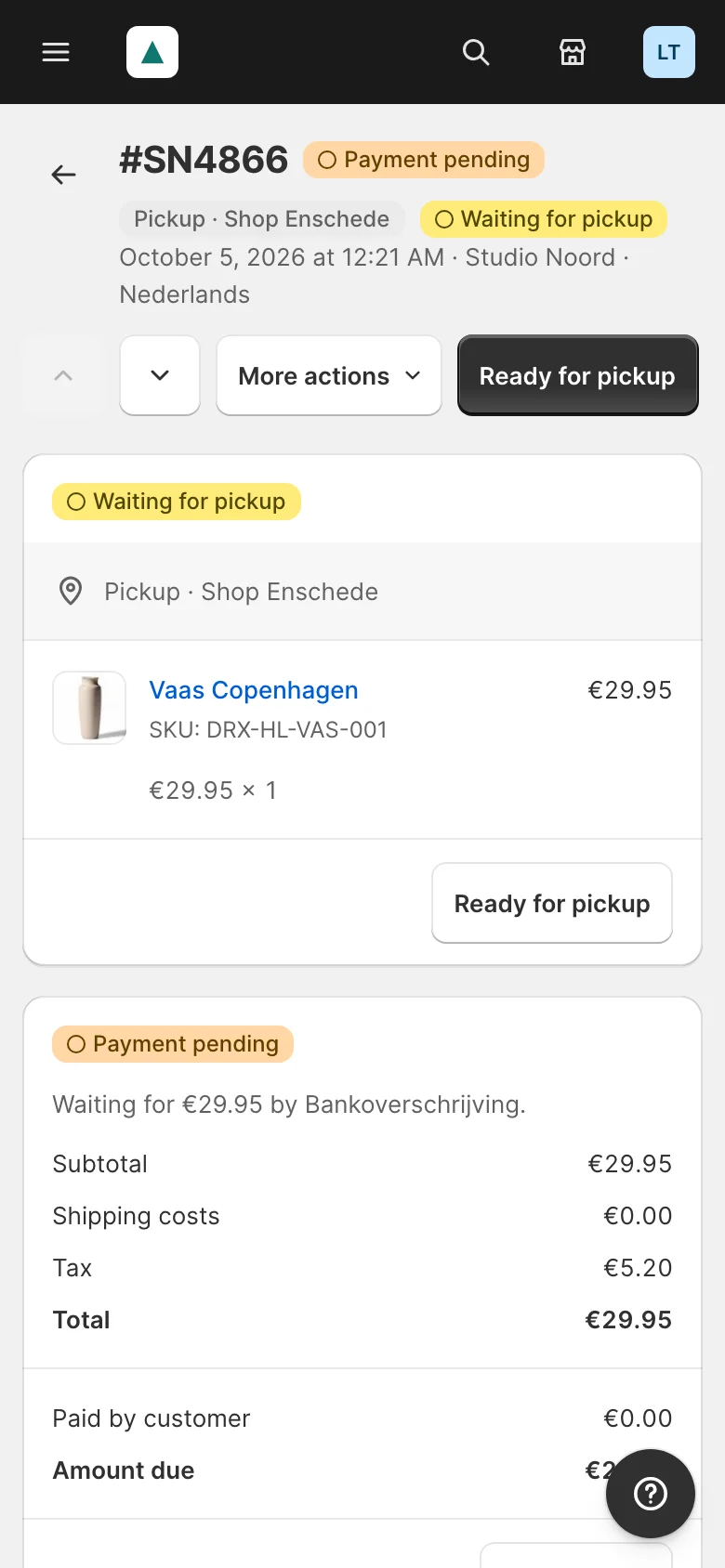
carriers/instore) at the locations that offer it. "Ready for pickup" on a pickup order calls MSI'sNotifyOrdersAreReadyForPickupInterface; "Picked up" is Light's own step, kept inmrx_order_pickup. With the in-store pickup modules off, a shop in locations mode keeps Light's carrier at the business address. - Light's own tables hold only what MSI has no field for:
mrx_location(drag order, opening hours, pickup instructions, "Usually ready in") andmrx_location_stock. Light writes the hours and instructions into the source'sfrontend_descriptiontoo, which is what the checkout shows.
4. The default source after the switch
The first "Add location" converts the shop in eight steps, each recorded in the flag mrx_locations_conversion so a stopped run resumes. The business address becomes a source, every product's quantity on Magento's default source is copied to it, the Light stock links both, the open orders' reservations and every channel move to that stock, and default goes to 0. Products that track stock get status 0 there; products that don't keep status 1, because MSI's pickup check reads their legacy stock status.
After the switch default belongs to no channel and no screen. Two things follow for your module:
cataloginventory_stock_item.qtyfollows only thedefaultsource, so it reads 0. Read source items or the salable quantity instead, as for any custom stock in MSI.- A Magento import, a REST
stockItemscall or a refund of an order shipped before the switch can still put stock ondefault. Settings > Locations and Home then show "Stock at old location: N items" with "Move to" and the first location's name, which moves it through MSI's bulk transfer.
5. The plugins Light adds on Magento
Three plugins on Magento, in Mrx_Locations/etc/di.xml, and none on Magento's flows:
<type name="Magento\Store\Model\ResourceModel\Website">
    <plugin name="mrx_locations_assign_website_to_light_stock" type="Mrx\Locations\Plugin\Store\AssignWebsiteToLightStock" sortOrder="-10"/>
</type><type name="Magento\InventoryInStorePickup\Model\ResourceModel\GetPickupLocationIntersectionForSkus">
<plugin name="mrx_locations_pickup_in_stock_only" type="Mrx\Locations\Plugin\Pickup\InStockOnly"/>
</type>
<type name="Magento\InventoryInStorePickup\Model\SearchRequest\Area\GetDistanceToSources">
<plugin name="mrx_locations_pickup_no_geocoder_area" type="Mrx\Locations\Plugin\Pickup\NoGeocoderArea"/>
</type>AssignWebsiteToLightStock: in locations mode a new channel sells from the Light stock instead of Magento's default stock, which holds nothing after the switch. It runs before Magento'sassign_website_to_default_stock, which then skips the website.InStockOnly: the checkout offers a pickup location only when it holds every product in the cart (status 1, quantity above 0). A product that doesn't track stock or keeps selling when sold out counts as present wherever MSI found its row.NoGeocoderArea: with Magento's Google geocoder and no API key, a postcode or city typed at checkout lists the channel's pickup locations instead of none.
Mrx_Locations also names "Location" and Magento's checkout label "Select Store" in the pool prefer_phrases for Dutch and German, because the language packs translate them as "Plaats" / "Ort" and "Selecteer winkel" / "Store wählen".
What the admin sees
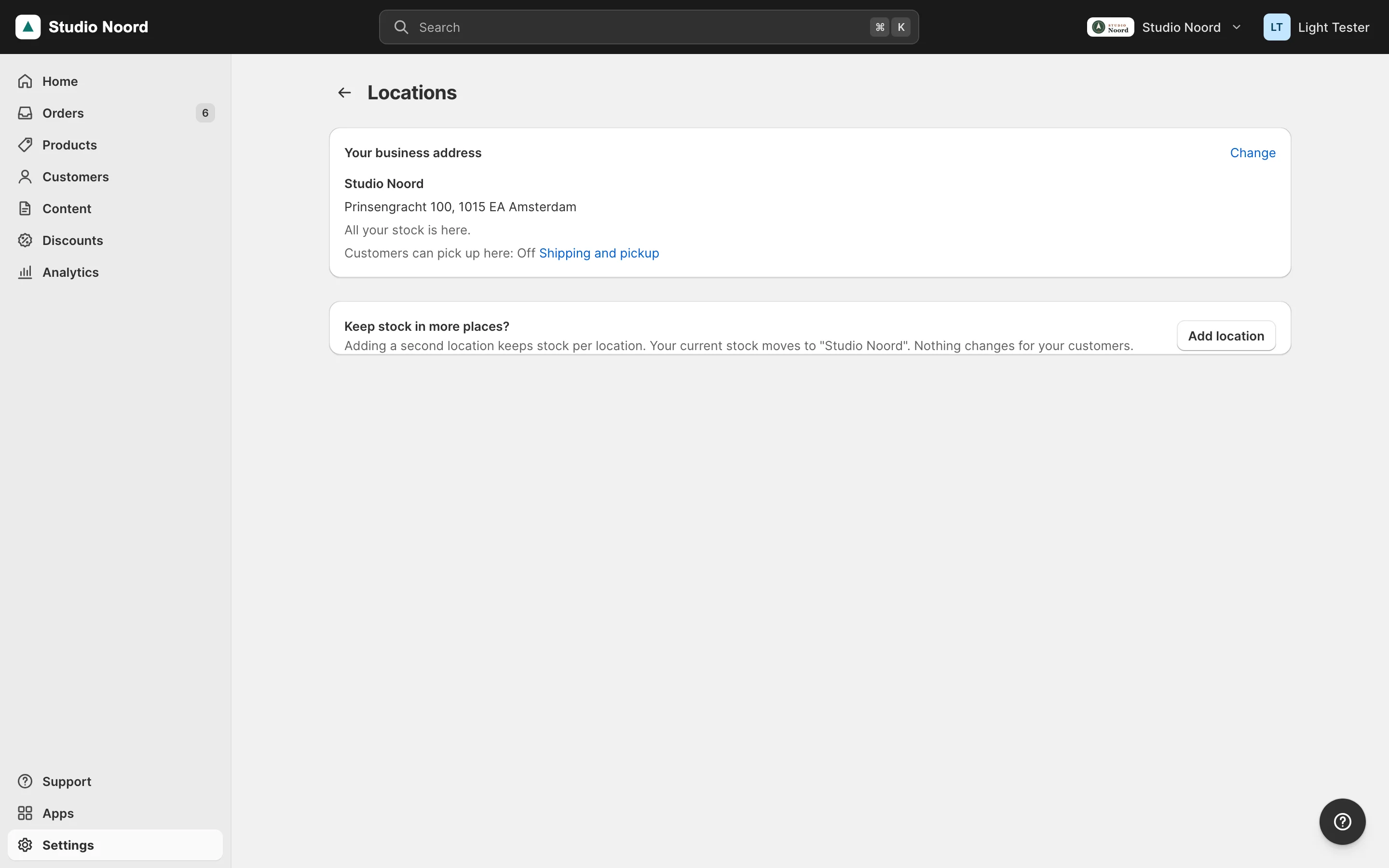
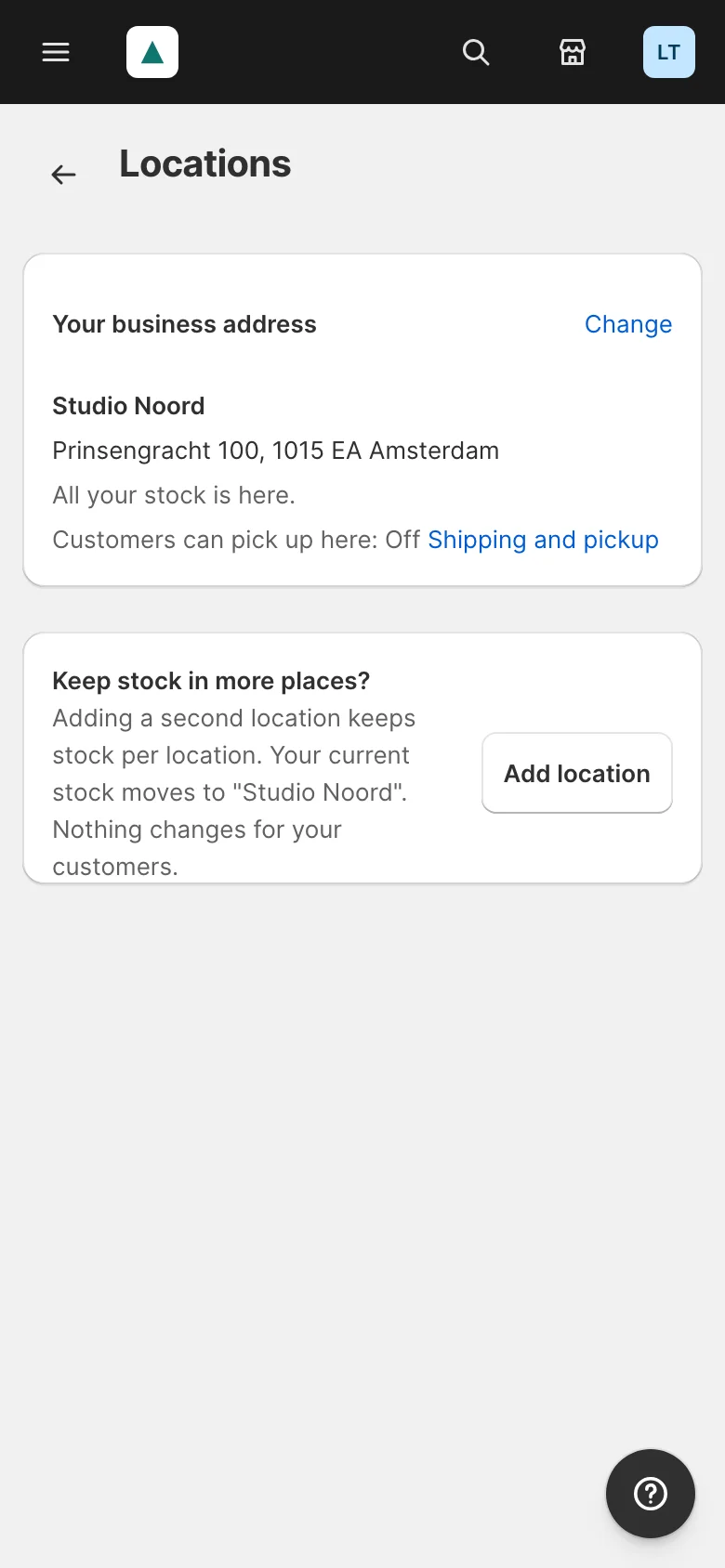
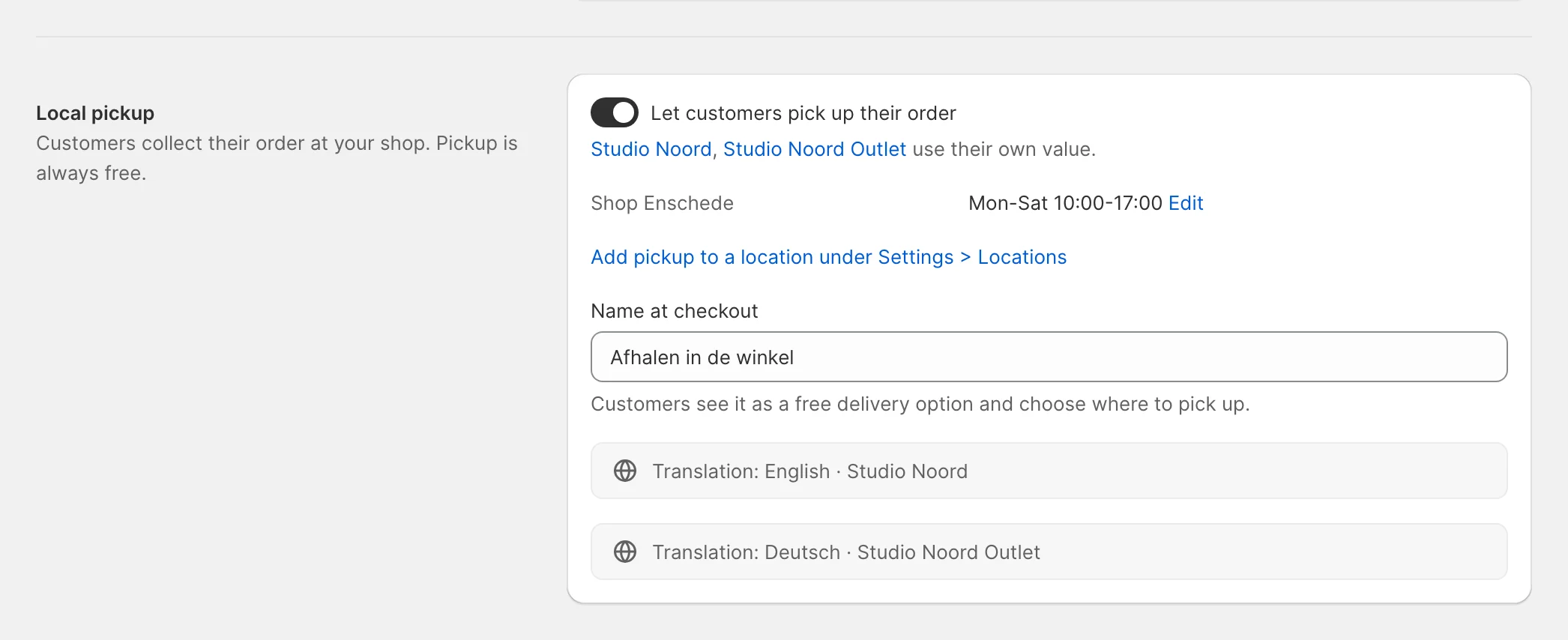
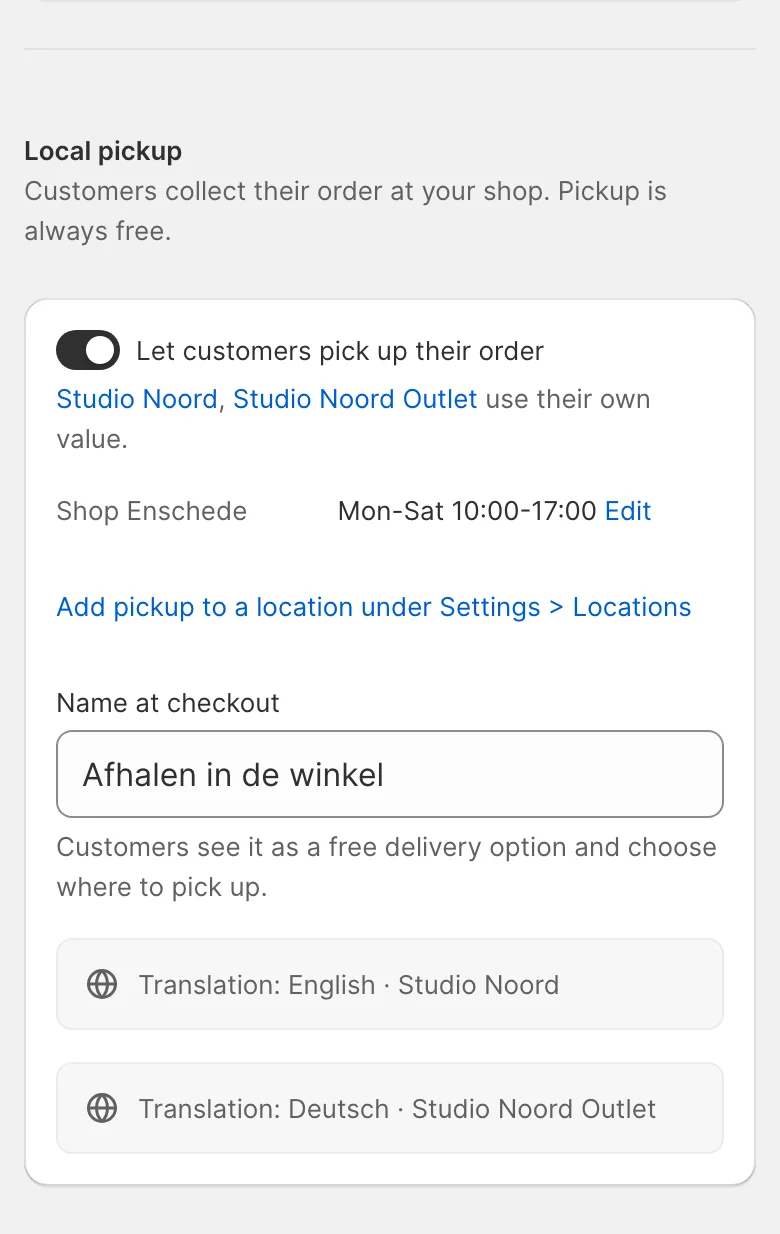
- Simple mode. Settings > Locations shows the business address and "Add location", whose sheet says what the first add does. Nothing else changes.
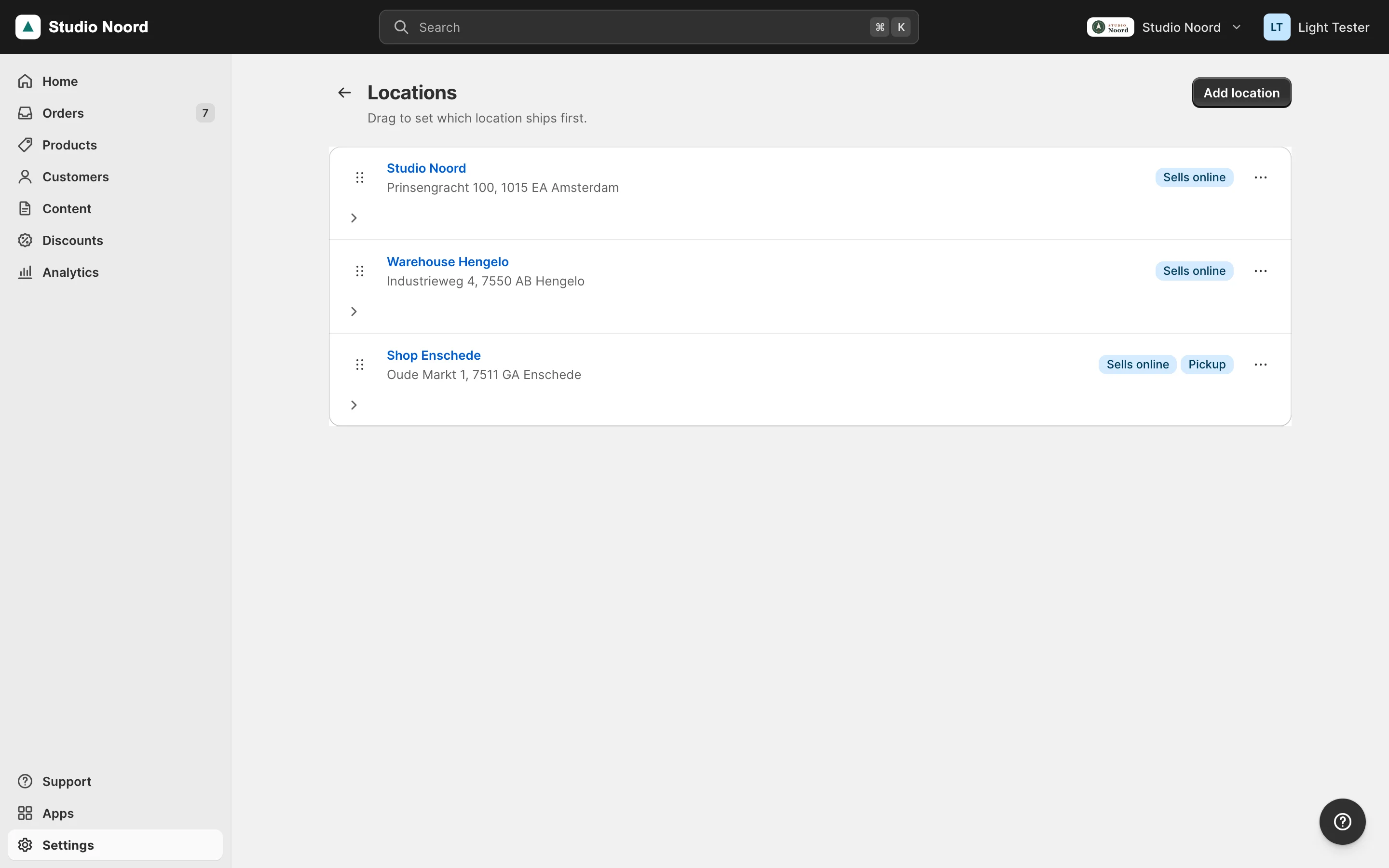
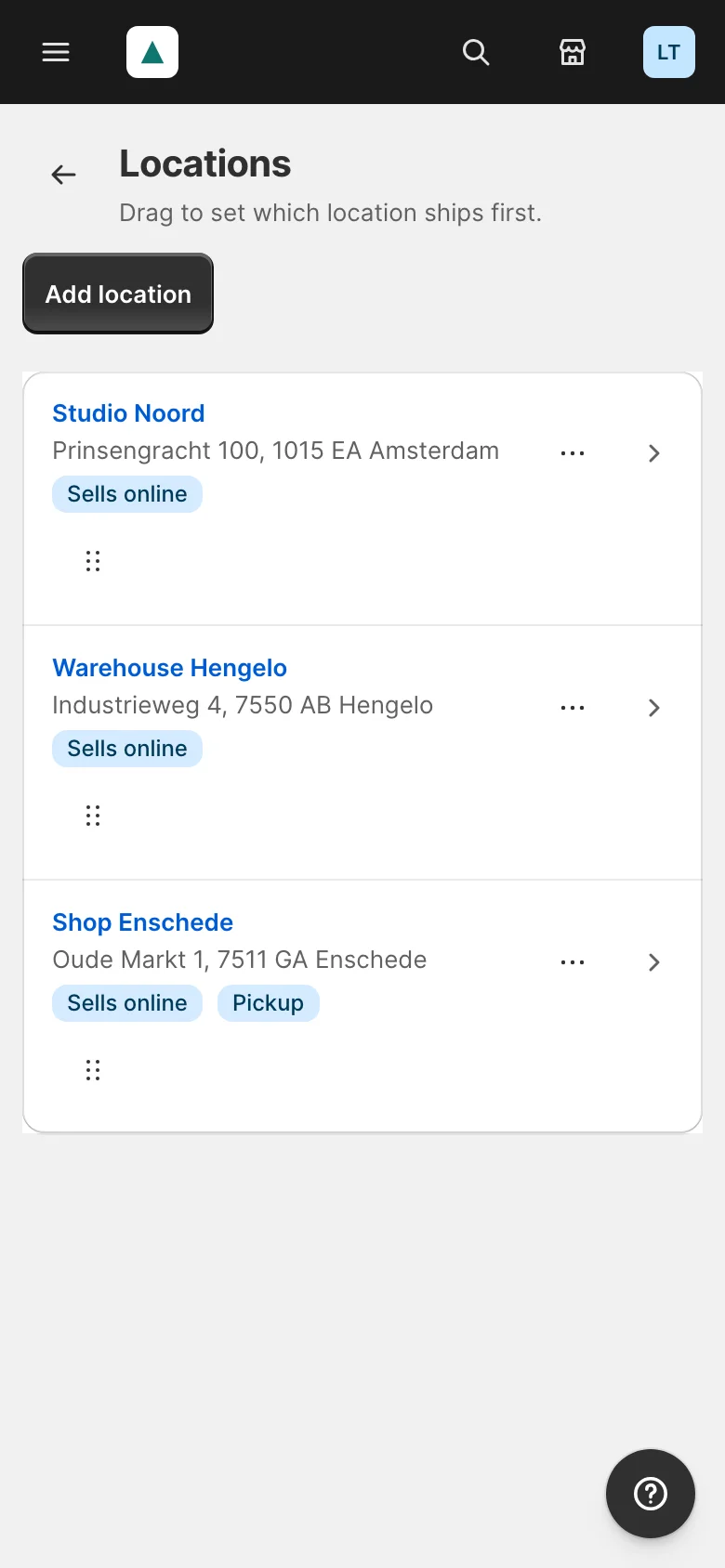
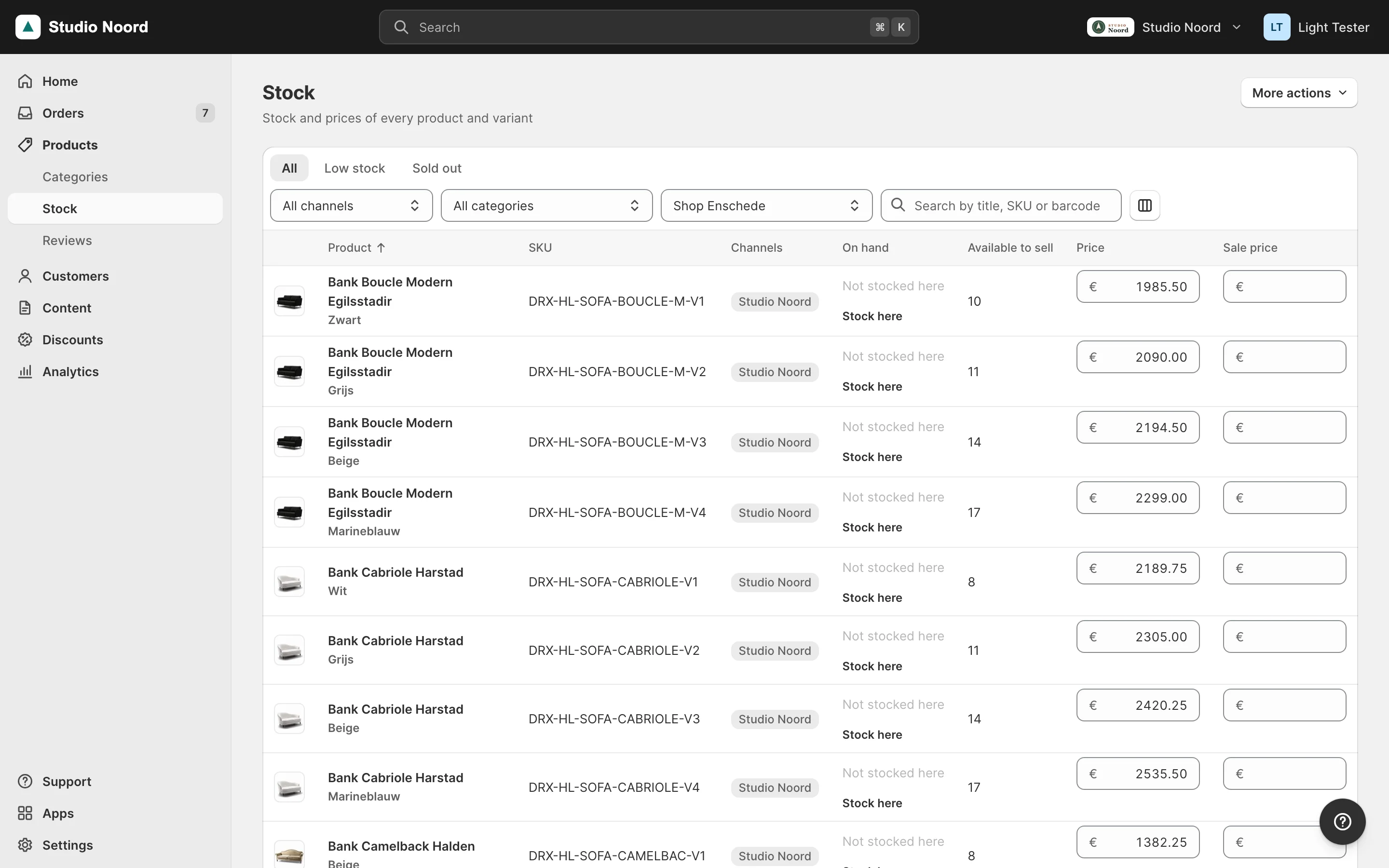
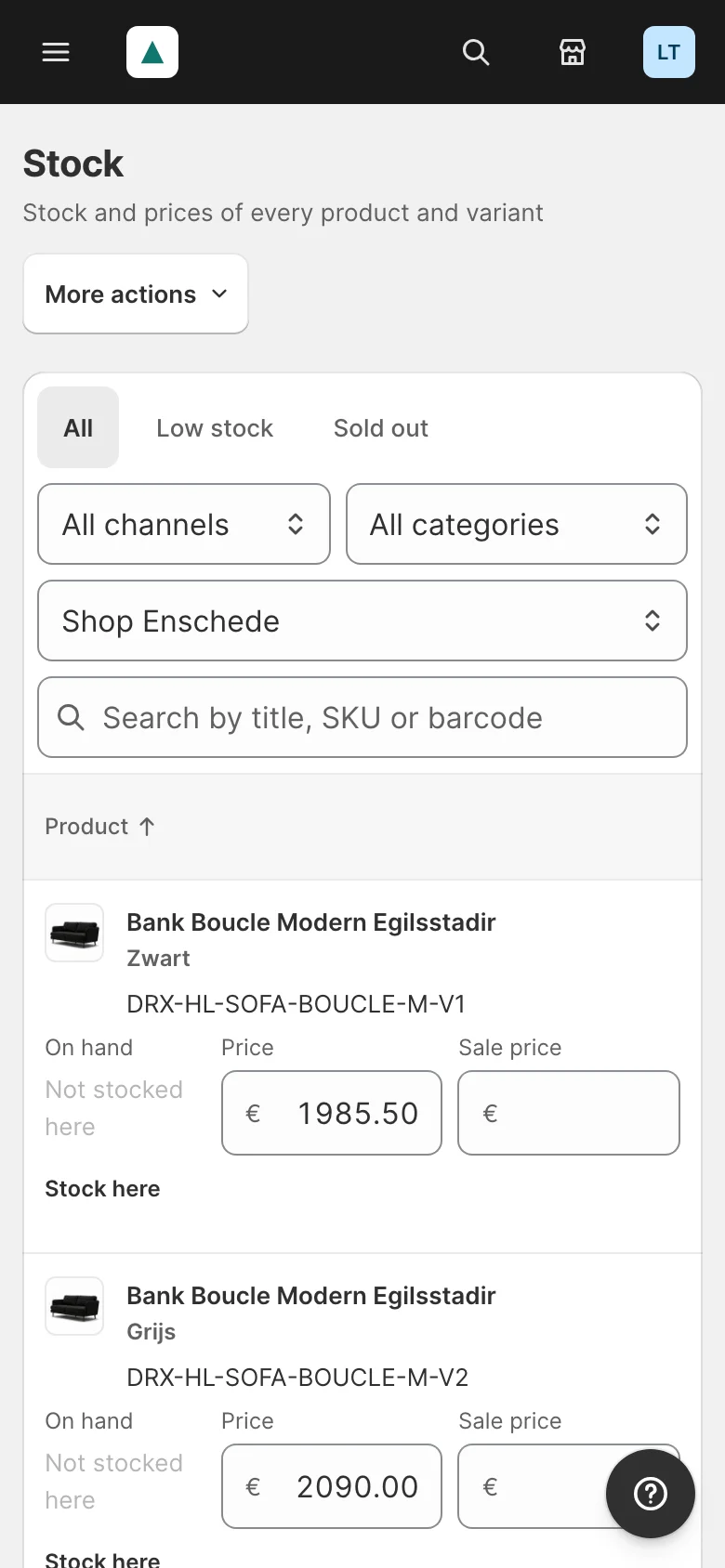
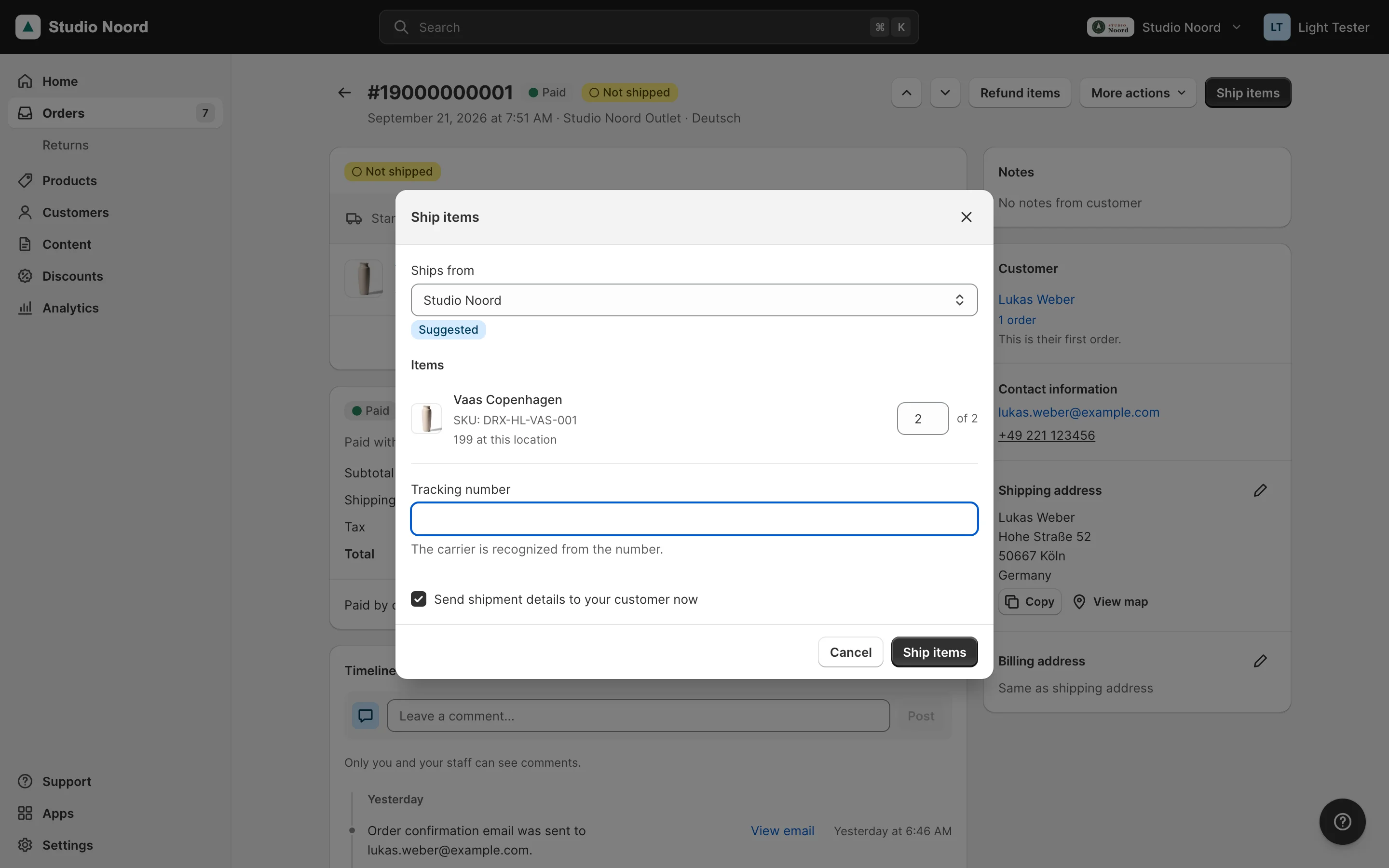
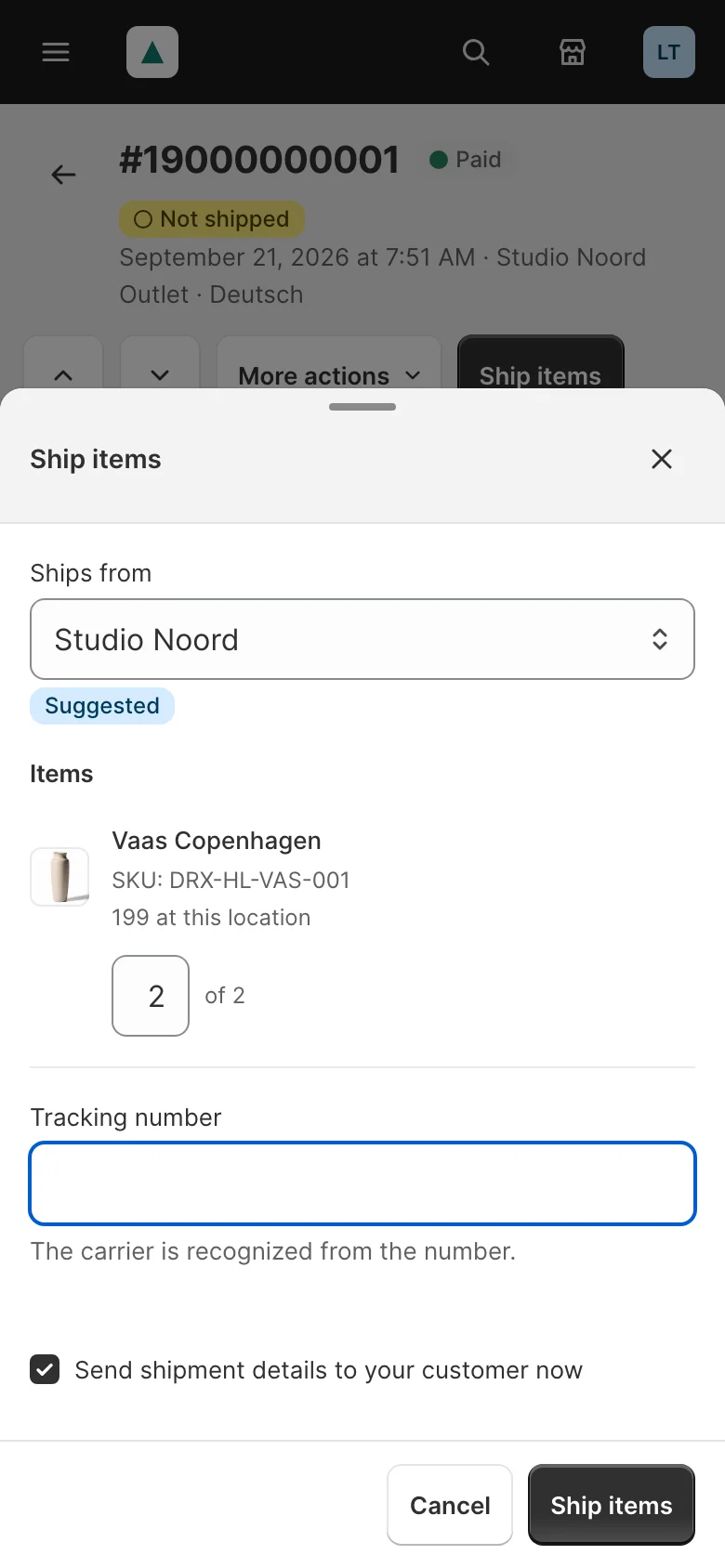
- Locations mode. Settings > Locations lists the locations to drag in shipping order; each has its own page. The product's Stock card, the variants and the Stock page get a row or a select per location; the Ship dialog says where it ships from; pickup orders get "Ready for pickup" and "Picked up"; Home lists pickup orders waiting and stock left at the old location.
- Advanced mode. Magento's own Sources, Stocks and order screens, with the same data.
ACL
Light adds no resource; it uses Magento's inventory resources. Settings > Locations needs Magento_Config::config (every Settings page) and Magento_InventoryApi::source to view, and ::source_edit to save; adding, turning off and on and the shipping order also need ::stock_edit and ::stock_source_link. Changing quantities per location needs Magento_InventoryApi::stock_source_item_assign on top of the product resources. Ship from, "Ready for pickup" and "Picked up" need Magento_Sales::ship; "Picked up" with "Also mark as paid" also needs Magento_Sales::invoice. In the role_areas pool, Mrx_Locations adds Magento_InventoryApi::inventory to the area settings and ::source and ::stock_source_item_assign to products (Users and permissions).
Check it
tests/playwright/locations-simple-mode.spec.tsproves a shop with one location sees no location anywhere.tests/playwright/locations.spec.ts,inventory-msi-multi.spec.ts,orders-ship-from.spec.ts,pickup-locations.spec.tsandmrxpickup-orders.spec.tscover the switch, stock per location, shipping from a location and both kinds of pickup. They restore database dumps of the copy they run on, so run them on a copy, never on a shop you keep.bin/magento inventory:reservation:list-inconsistenciesbefore and after the first "Add location" lists the same lines.
Pitfalls
- MSI caches single-source mode for the whole request. After you save a source in your own code, a later
isMultiLocation()in the same request can still say false. - Dump the database before the first "Add location": it can't be undone. A shop with more than 3,000 products at the
defaultsource converts in Magento's cron, so cron must run. - A pickup location must sell online: MSI only offers locations of the cart's stock.
frontend_descriptionis one text for every language, so a multilingual shop shows the same opening hours and instructions to every customer.- Hyvä Checkout has no pickup step for locations. Luma, and Hyvä with the Luma checkout, run Magento's own; Home warns while a location offers pickup that the checkout can't show. A module whose checkout has no pickup step either adds its module name to the pool
checkouts_without_pickup(Mrx\Home\Model\Todo\Counter\PickupCheckoutMissing, argumentcheckoutsWithoutPickup), asMrx_SettingsHyvadoes forHyva_Checkout.
Last updated on