Home to-dos, setup steps and widgets
To-dos, setup steps, widgets and banners on Home.
Home is where the merchant starts the day: a short list of to-dos, the setup guide for a new shop, and a few widgets. A module adds to all three.
When to use it
- A to-do when your module has work waiting: it shows only while there is some. Prefer it to a widget (Built for Light, rule 2).
- A setup step when a new shop must do something once before your module works.
- A widget only for a fact the merchant checks daily that fits no to-do. A widget renders nothing when it has nothing to say.
- A banner (the container
mrx.home.top, since 0.4.0) only for a way into your module's own screen that the merchant uses daily, such as an editor outside the admin, or a notice that must be read before the numbers. It spans the full width under the setup guide, so keep it to one per module and to one line of text and one button.
Steps
1. A to-do
A TodoList item (pool todos) in etc/adminhtml/di.xml has a count, two labels, and where it links. The count comes from a counter class that implements CounterInterface, as the core to-dos do:
<item name="orders_to_ship" xsi:type="array">
    <item name="counter" xsi:type="object">Mrx\Home\Model\Todo\Counter\OrdersToShip</item>
    <item name="label_one" xsi:type="string" translate="true">%1 order to ship</item>
    <item name="label_many" xsi:type="string" translate="true">%1 orders to ship</item>
Or it names badge, a nav item key, and shows the nav counter's count, from the same cache (A nav item with a counter). The pilot's to-do does that:
<item name="label_many" xsi:type="string" translate="true">%1 account requests to review</item>A counter that implements ChannelAwareCounterInterface counts per channel when the merchant filters Home by channel (Channels and store views).
The keys this recipe uses; Extension targets lists every key of todos:
Prop
Type
2. A setup step
A SetupGuide item (pool setup_steps) has a title, a description, an action and a check class that implements SetupCheckInterface; the step disappears once the check says it is done:
<item name="check" xsi:type="object">Mrx\Home\Model\Setup\Check\HasProducts</item>public function isComplete(): bool;A step's link takes fallback_route, fragment (an anchor on the target page) and target.
A description that depends on the store (the names of the installed payment providers, say) comes from a description_provider object that implements SetupDescriptionInterface; when it returns '', the step shows its own description:
public function getDescription(): string;3. A widget
A block in the container mrx.home.widgets, in your layout file for the handle light_home_index. Draw it as a .mrx-card, and render nothing when there is nothing to say. Cards for the Analytics page go in its container mrx.analytics.cards the same way:
<referenceContainer name="mrx.home.widgets">The Home page has two containers. Pick by what the block is:
| Container | Where it shows | Use it for |
|---|---|---|
mrx.home.widgets | The side column, right after the to-dos (on a phone: in the one column, after the to-dos) | A card with a fact or a short list the merchant glances at |
mrx.home.top (since 0.4.0) | Full width, right under the setup guide and above the date range and the figures | A banner: one line and a button into your module's own screen, or a notice that must not be missed |
A banner goes in with <referenceContainer name="mrx.home.top"> in the same layout file, as a .mrx-card block with an aclResource. Home declares the container right after the setup guide:
<container name="mrx.home.top" as="top">
    <block class="Mrx\Light\Block\SlotOutline" name="mrx.home.top.outline"/>
</container>
Home draws no wrapper around the container and spaces its blocks with its own gap, so a banner that renders nothing leaves Home exactly as it was. Render nothing while your module has nothing to offer: its own module off, a setting not filled in.
Add ?mrx_slots=1 to Home's URL in developer mode to see both containers outlined.
4. A payment fee in the accountant export
"Export for your accountant" on Analytics lists every invoice and credit memo of a period. A payment module that adds its own fee to those documents (a column on sales_invoice and on sales_creditmemo, and a second column for the VAT on it) names both columns in the pool accountant_fee_columns, an argument feeColumns of Mrx\Home\Model\Accountant\DocumentSource, in etc/adminhtml/di.xml. The key is the fee column and the value the column with its VAT. Mrx_PaymentsMollie adds Mollie's:
<item name="base_mollie_payment_fee" xsi:type="string">base_mollie_payment_fee_tax</item>The export adds up the fees of all pairs into one fee column and their VAT into fee_tax. A pair whose table lacks either column is skipped, and null as a value removes another module's pair.
What the admin sees
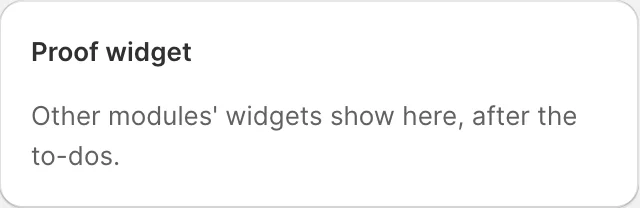
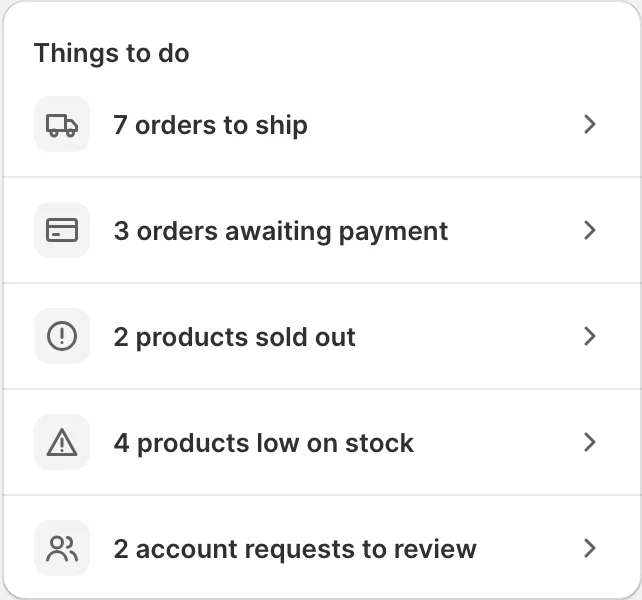
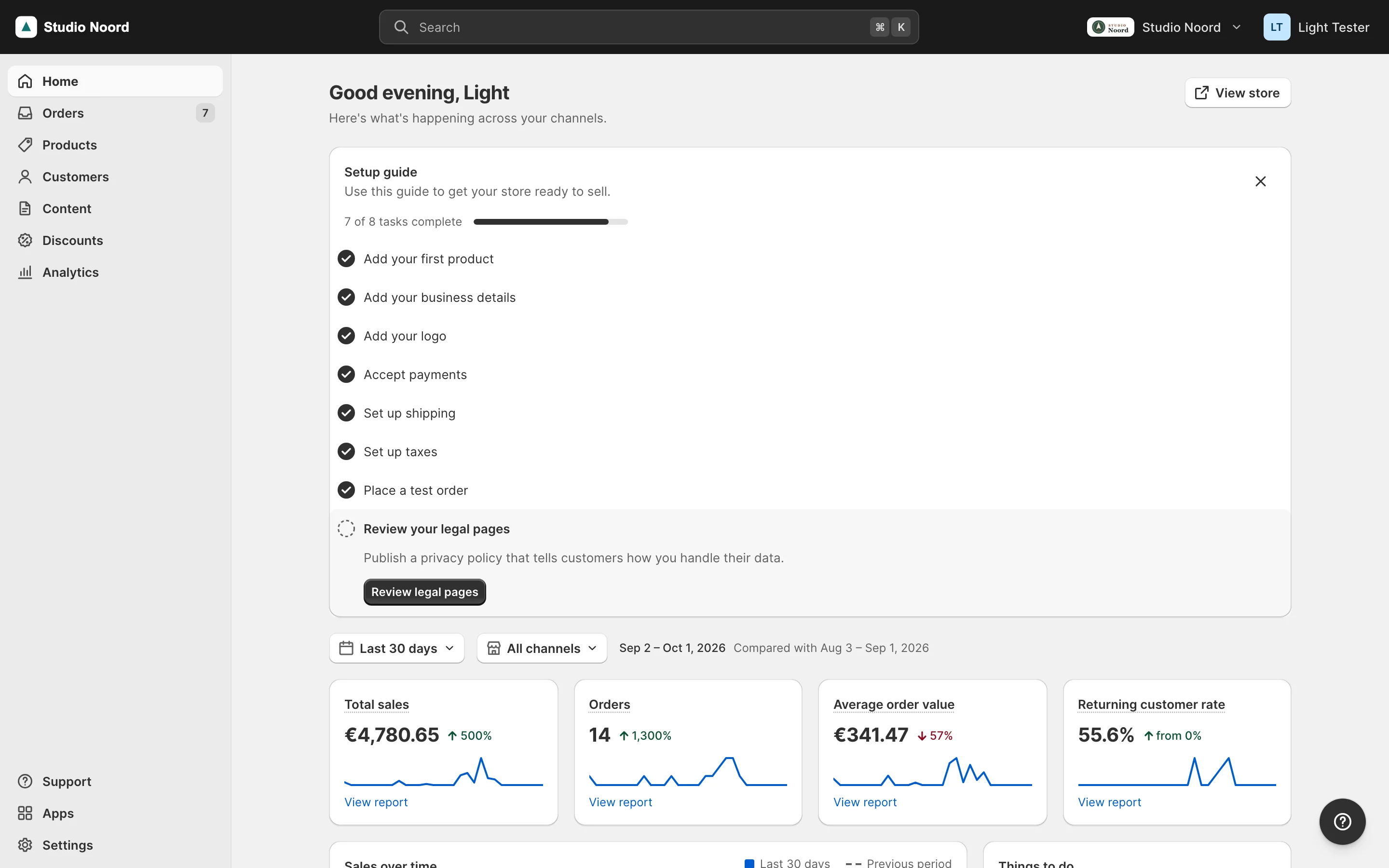
- Simple mode. The to-do "5 account requests to review" while there are any, linking to the list; the setup step until its check passes; the widget below the to-dos.
- Advanced mode. The stock dashboard.
ACL
A to-do and a setup step show only with their resource; a widget block sets aclResource.
Check it
bin/magento mrx:light:doctor --module=<your module>:unknown_referencewith kindbadgecatches a to-do whosebadgenames no nav item,unknown_containera widget or banner in a wrong container.tests/playwright/light-proof.spec.tstest 6 checks a widget.
Pitfalls
- A counter that throws is logged and its to-do left out; Home keeps working.
- To-do keys are your module's identifiers: other modules may change or remove them by key.
Last updated on