Fields on a Light editor
A card with your fields on a Light editor, checked on the server and in the browser.
A module adds fields to a Light editor with a card: the product, category, CMS page, CMS block, discount, new-customer and customer contact editors. The card's values load with the entity, are checked before the save, go onto the entity, and save inside the editor's transaction. JS hooks check and extend the save in the browser.
When to use it
- Your module stores a property of the entity that the merchant sets while editing it, such as a product's delivery note.
- Keep a card to four fields or fewer, and put it after the core content; more belongs in the advanced view (Built for Light, rule 2).
The forms
| Form code | Entity interface | Containers |
|---|---|---|
product | Magento\Catalog\Api\Data\ProductInterface | mrx.product.form.main.after_pricing, mrx.product.form.main.bottom, mrx.product.form.aside.bottom |
category | Magento\Catalog\Api\Data\CategoryInterface | mrx.category.form.main.bottom, mrx.category.form.aside.bottom |
cms_page | Magento\Cms\Api\Data\PageInterface | mrx.cms_page.form.main.bottom, mrx.cms_page.form.aside.bottom |
cms_block | Magento\Cms\Api\Data\BlockInterface | mrx.cms_block.form.main.bottom |
discount | Magento\SalesRule\Api\Data\RuleInterface | mrx.discount.form.main.bottom, mrx.discount.form.aside.bottom |
customer_new | Magento\Customer\Api\Data\CustomerInterface | mrx.customer.new.main.bottom |
customer | Magento\Customer\Api\Data\CustomerInterface | mrx.customer.contact.form.bottom |
The generated reference lists the same with their versions. Order views have no form pipeline: a card on an order has its own controller (Order and customer pages).
Steps
1. The extension class
One class implements the form interfaces:
FormExtensionInterface:load()gives the card its values,validate()returns messages per field,save()writes your own tables inside the transaction and returns what the page gets back asext.<code>.DeclaresFieldsInterface:getFields()declares the fields, soExtensionCarddraws them without a template.AppliesToEntityInterface:apply()sets the values on the entity before the editor saves it.
public function apply(FormContextInterface $context, array $input, object $entity): void;FormContextInterface tells your class which form, entity and store view it works on, and CurrentFormInterface::get() gives the same to any block on the page.
The golden example's product field is an admin-only product attribute, set in apply(); save() returns null because the product's own save stores it:
public function save(FormContextInterface $context, array $input): ?arrayThe fields getFields() returns:
Prop
Type
2. Register it
The pool form_extensions is keyed by form code, then by your extension code, with the class and the ACL resource that may see and save the card:
<item name="acme_proof" xsi:type="array">
    <item name="extension" xsi:type="object">Acme\LightProof\Model\ProofField\Proxy</item>
    <item name="resource" xsi:type="string">Acme_LightProof::manage</item>
</item>
3. The card
Mrx\Light\Block\ExtensionCard in one of the form's containers draws the declared fields. The card renders inside the editor's <form>: a card of your own never prints a <form>, and gives every button type="button", or a click saves the whole editor. Its inputs are named ext[<code>][<field>], so the save bar tracks them and the editor posts them to your class:
<referenceContainer name="mrx.product.form.main.after_pricing">4. JS hooks
The card's js argument loads a RequireJS module that registers hooks for the form and your code with Mrx_Light/js/form-hooks: validate checks in the browser before anything is posted, payload adds values, saved runs after the save. Acme_LightProof refuses the value "jsfail" in the browser, before any request, and adds js to every save:
hooks.register('product', 'acme_proof', {After a save the form fires mrx:form-saved with formCode, entityId and response (Events, JS modules and #mrx-config keys).
How a save runs
The browser checks first, then the server runs every extension of the form inside the editor's database transaction. This is the product editor; the other six forms run the same steps:
Where validate() runs differs per form: the product save runs it inside the transaction, the category and discount editors in their controller before the save, and the CMS and customer editors in their service before the transaction. A message from validate() always stops the save.
What the admin sees
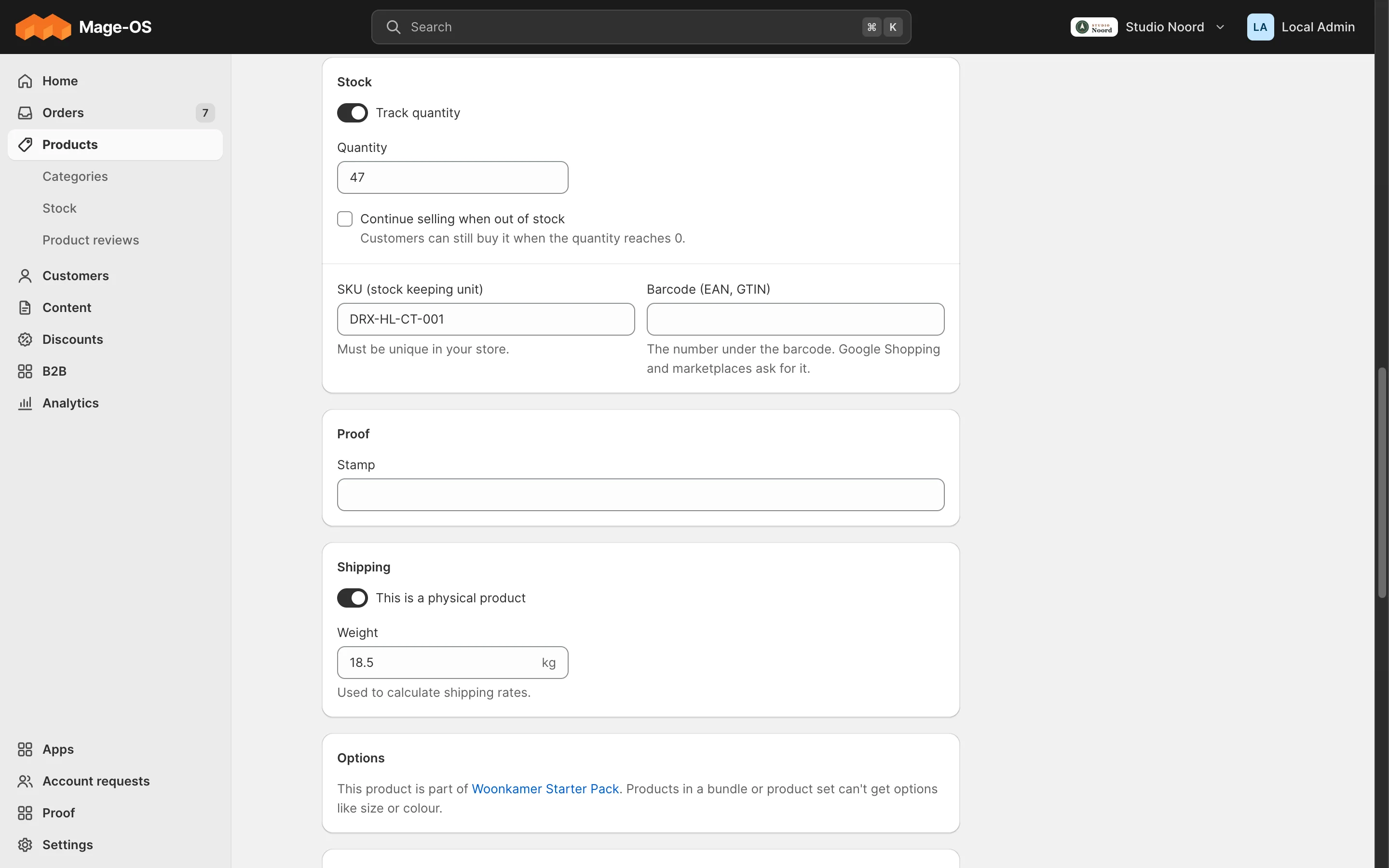
- Simple mode. The card on the editor, after the core content. A message from
validate()shows under its field, next to the editor's own messages, and nothing is saved. - Advanced mode. The stock form, without the card. A value set through
apply()is an attribute, so the stock form, REST, import and "Duplicate" see it.
ACL
The card, its values and its save need the item's resource. A posted ext[<code>] without it is ignored and logged.
Check it
bin/magento mrx:light:doctor --module=<your module>:unknown_referencewith kindformcatches a misspelled form code,unknown_containera wrong container.?mrx_slots=1in developer mode outlines the containers on the page.tests/playwright/light-proof.spec.tstest 4 is the test to copy.
Pitfalls
- Where the data lives. A value of the entity is an attribute set in
apply(), so REST, import, "Duplicate" and the stock form see it. An own table is only for data that isn't a property of the entity, with a foreign keyonDeleteCASCADE and its own service. A storefront-visible or filterable user-defined attribute already shows in the Details card. The pipeline runs only in the Light editors, so a rule that must always hold belongs in your service or the attribute's backend model. - The module's own product-form logic (ui_component modifiers, plugins on the stock
Product\Savecontroller) doesn't run on a Light save. save()only writes the database. Emails and calls to other systems belong in an observer on<entity>_save_commit_after, which runs only after the commit and is dropped on a rollback.- Set variant values in the advanced view. An
AdvancedHintinmrx.product.form.main.after_pricingcan say so. - When a field becomes required later, fill it for existing entities in a data patch.
Last updated on