Order and customer pages
Order actions, timeline lines, totals rows and cards on the order and customer pages.
The Light order and customer pages take actions, timeline lines, totals rows and cards from other modules. Returns uses all of them; this recipe follows it.
When to use it
- Your module adds a step to handling an order (create a return, print a label), a fact to its history, or a line to its totals.
- Add an action to More actions unless it is the next step for most orders, and a card only when the timeline can't say it (Built for Light, rule 2).
Steps
1. Order actions
An ActionPool item (pool order_actions) in etc/adminhtml/di.xml adds a button to the order page. condition names a class that implements OrderActionConditionInterface, so the button shows only when it applies:
<item name="create_return" xsi:type="array">
    <item name="label" xsi:type="string" translate="true">Create return</item>
    <item name="route" xsi:type="string">light/returns/new</item>
    <item name="params" xsi:type="array">
        <item name="order_id" xsi:type="string">entity_id</item>
</item>public function isAvailable(OrderInterface $order): bool;The keys: label; route with params (a route parameter mapped to an order field: entity_id, increment_id, customer_id or store_id), or id and attributes for a JS action; icon, tone, resource, module, slot (more or secondary), sort_order (core uses 5 to 90) and condition. A condition that throws is logged and drops its action. A route in the route map gets mrx_stock=1, so an action that opens a stock screen keeps the Light shell around it.
Prop
Type
2. Timelines
A class that implements the Orders or Customers TimelineProviderInterface adds lines to the order's or customer's history. Register it in the Timeline argument providers of Orders (pool order_timeline) or Customers (pool customer_timeline). Returns adds its lines to the customer timeline:
<item name="returns" xsi:type="object">Mrx\Returns\Model\Customer\ReturnsTimeline\Proxy</item>public function getEvents(OrderInterface $order): array;A link on a line takes external for a URL outside the admin; unsafe URLs show as text. Light merges your lines with core's before it sorts them. When the line must also show in the stock order history and outlive your module, write it with Mrx\Orders\Model\Service\History::addEvent() instead. A Customers provider gets the customer as its argument: don't inject CustomerPageContextInterface into it or into the services it builds, which would be a circular dependency. A customer mail about the order gets a View email button on its own line, which opens the copy Light kept of it; a provider line can't open that viewer, so for a mail of yours write a notified history row instead (Copies of sent mails).
3. Totals rows
A class that implements TotalsProviderInterface adds rows to the order totals, registered in the TotalsPool argument providers (pool order_totals). When the rows and the grand total differ by more than 0.005, Light adds "Other charges" (other_charges) or "Other adjustments" (other_adjustments) itself, so the totals always add up. The codes subtotal, discount, shipping, tax, grand_total, other_charges and other_adjustments are core's: a row that reuses one, or whose amount is not a finite number, drops every row of its provider, so take a code with your module's prefix. Light uses fpt itself: while Magento_Weee is on, a fixed product tax gets its own row after the subtotal, and the subtotal no longer holds it.
public function getRows(OrderInterface $order): array;4. A card with its own controller
Order and customer pages have no form pipeline. The order page has four containers, mrx.order.main.top (for what needs action), mrx.order.main.before_timeline, mrx.order.aside.top and mrx.order.aside.bottom; the customer page has mrx.customer.main.bottom and mrx.customer.aside.bottom. A card there gets the page's order or customer from OrderPageContextInterface or CustomerPageContextInterface, posts to its own controller, and sets aclResource, so an admin without the resource never sees a link to a page they can't open:
<referenceContainer name="mrx.order.aside.bottom">public function getOrder(): ?OrderInterface;5. Carriers
A carrier is an item in the pool carriers (an argument of Mrx\Orders\Model\Carrier\Carriers, global area). Light recognises the carrier from a tracking code, builds the tracking link, and offers the carrier in the Ship items form. Light for the Netherlands (Mrx_CountryNl) adds PostNL this way:
<item name="postnl" xsi:type="array">
    <item name="label" xsi:type="string">PostNL</item>
    <item name="patterns" xsi:type="array">
        <item name="domestic" xsi:type="string">^3S[A-Z0-9]{8,20}$</item>
        <item name="international" xsi:type="string">^[A-Z]{2}[0-9]{9}NL$</item>
    </item>
    <item name="tracking_url" xsi:type="string">https://jouw.postnl.nl/track-and-trace/{code}-{country}[-{postcode}]</item>
    <item name="sort_order" xsi:type="number">10</item>
    <item name="select_order" xsi:type="number">10</item>
</item>- The item's key (
postnl) is the carrier's code, a string. patternsare regular expressions for the tracking code. Detection tries the carriers bysort_order, and the first match wins.tracking_urlfills{code},{country}and{postcode}, and drops a[bracketed]part whose value is empty.- The Ship items form offers the carriers that have a
select_order, in that order. A carrier without one is detected but not offered. disabledandmodulework as in every pool; anullitem removes a carrier.
6. Test payments and refunds
A payment module tells Orders that a payment was made in its test mode, and Orders warns for any provider. Store the mode in the payment's additional information under Mrx\Orders\Api\PaymentMode::INFO_KEY, with PaymentMode::TEST or PaymentMode::LIVE. Mrx_PaymentsMollie does it when Mollie reports the payment:
$order->getPayment()?->setAdditionalInformation(PaymentMode::INFO_KEY, $mode === ApiKey::MODE_TEST ? PaymentMode::TEST : PaymentMode::LIVE);While the order is open, the order page shows "Test payment: no money received" in the container mrx.order.main.top, naming the provider by the label of its payment_providers item (Payment providers). The orders list gets a "Test payment" column after "Payment", hidden until an open order was paid in test mode; it comes from Mrx\Orders\Model\IndexTable\TestPayments, which Orders registers in the pool table_extensions for the list orders. A provider adds neither. The count that decides whether the column shows is cached for up to an hour; an order save that changes the count (a test order placed or changing state, a test mark set or removed) drops that cache, so save the order through Magento after you set the mode, as Mollie's and Pay.'s own handling does. A mode written straight to the database shows on the order page at once and in the list within the hour.
A refund from the order page fails in Magento's RefundInvoice with "Could not save a Creditmemo", whatever went wrong. A payment module that refuses a refund sets one sentence on Mrx\Orders\Api\RefundReasonInterface before it throws, and the refund then fails with that sentence:
$this->refundReason->set((string)$message);
throw new LocalizedException($message);
What the admin sees
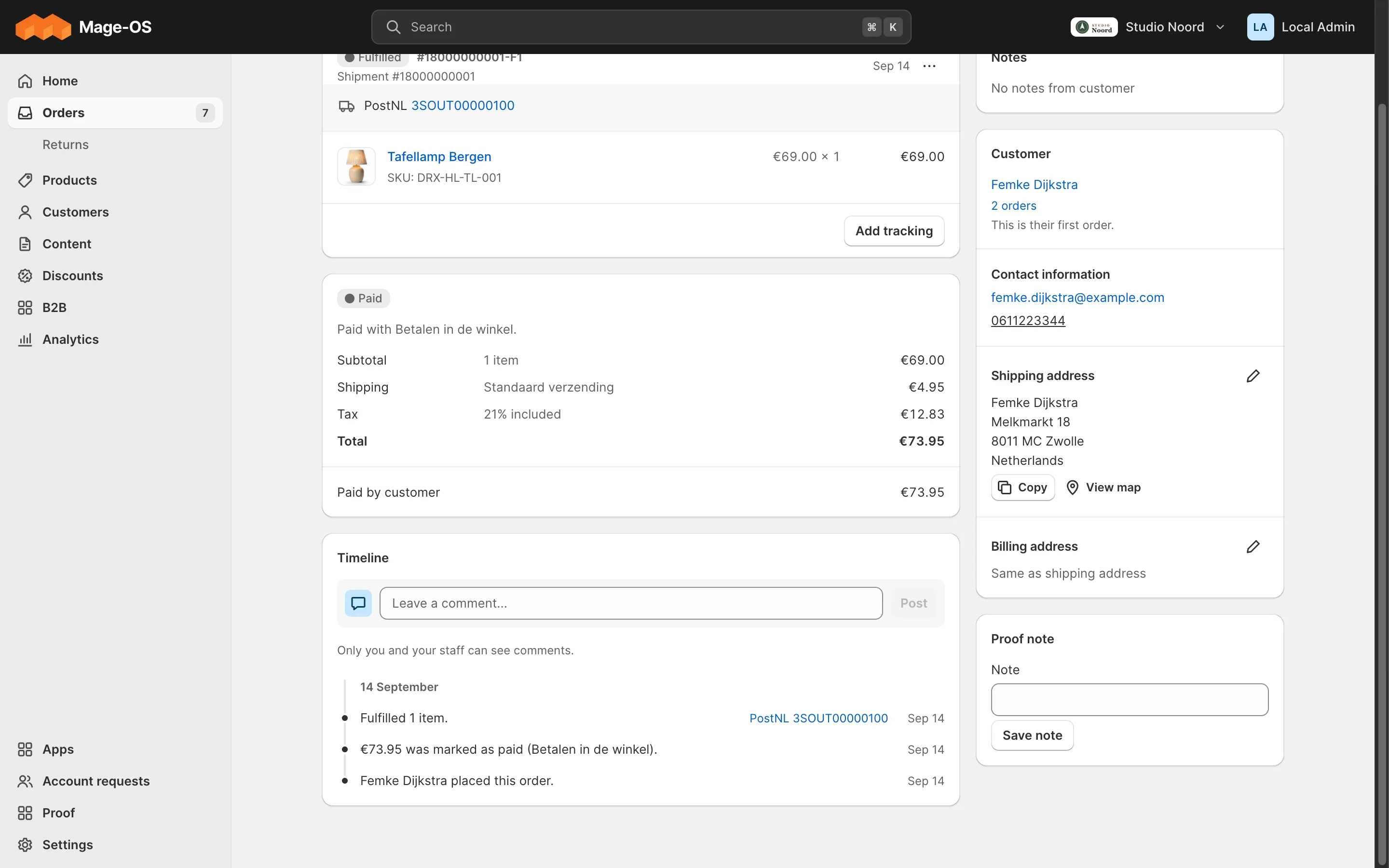
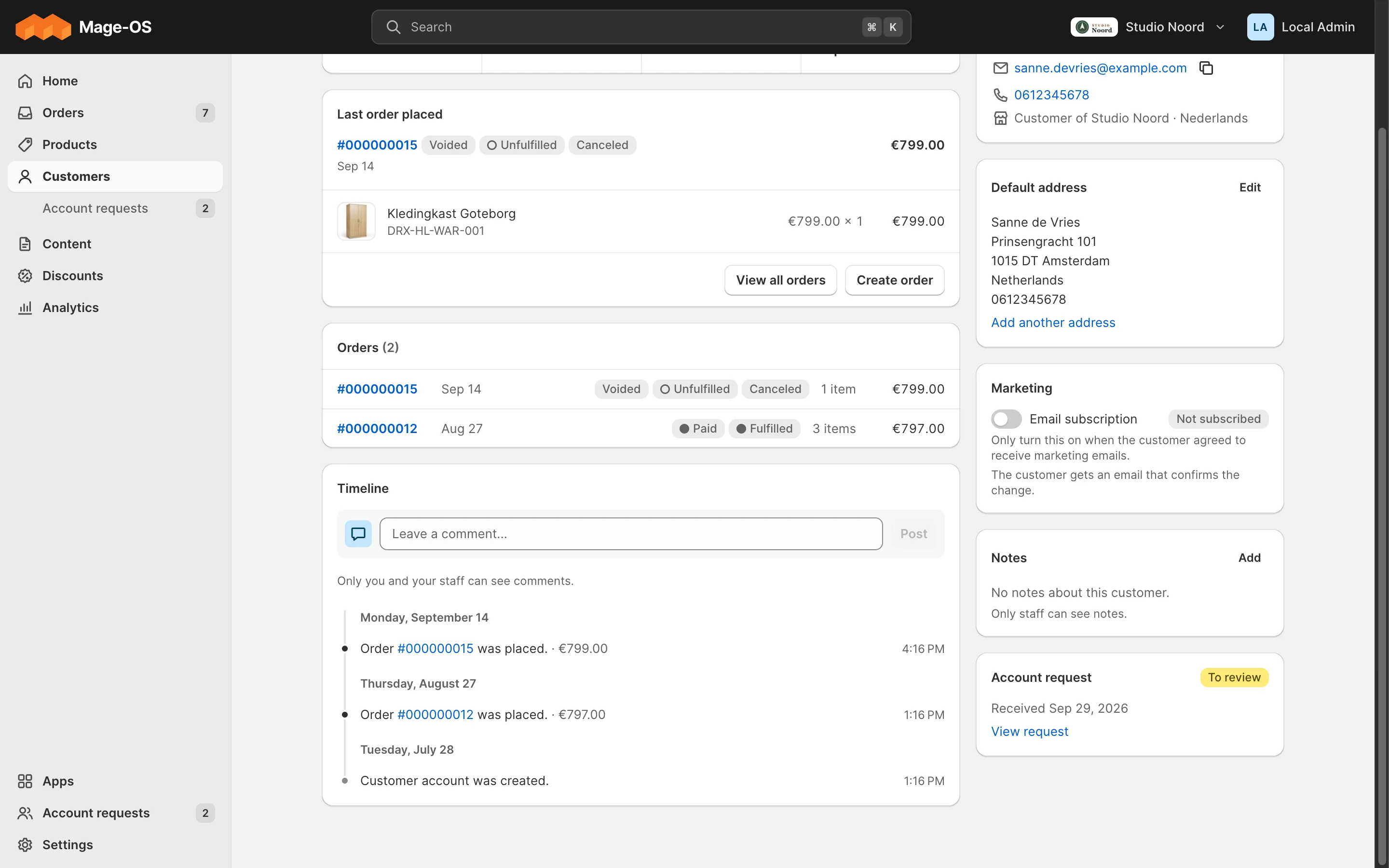
- Simple mode. The action in the order header (or under More actions), the timeline lines with their links, the totals rows, and the card in the side column.
- Advanced mode. The stock order view, without any of these.
ACL
Each action, timeline provider and card checks its own resource or aclResource; the order page itself needs the Orders resource.
Check it
bin/magento mrx:light:doctor --module=<your module>:unknown_containerandunknown_key.?mrx_slots=1outlines the containers.tests/playwright/light-proof.spec.tstest 6 checks an order card.
Pitfalls
- A card that loads its content after the page, or refreshes it after an action, wraps the request in
loader.during(card, request, {preset: 'card'})fromMrx_Light/js/loader, and its buttons inloader.button(), instead of a "Loading" text (Design system, Loading states). - A condition or provider class that needs another module's classes is registered as
\Proxy, with#[RequiresModule]. - A timeline provider that throws is logged and left out; the rest of the timeline still renders. A provider or condition that throws goes to
var/log/exception.log; an invalid row or an unsafe URL goes tovar/log/system.logas a warning.
Last updated on
Your own list and detail pages
Your own list page, detail page and JSON endpoints on the light route.
Your module's email and document
Customer emails and PDF documents in the shop's look: the body-only contract, the classes, the two tokens, the documents, item_lines, document_sections and pick_locations pools, a client format, and what an agency can change.