Light developer guide
What Light is, how a module plugs in, and the rules every module follows.
Light is a simple admin on top of Mage-OS and Magento Open Source. It has two modes: simple mode shows the Light pages, advanced mode shows the stock admin. Modules extend Light the Magento way, with DI arguments in their own di.xml and blocks in named layout containers. There is no second registration format.
This guide is for developers who add Light support to a module: your own module, a bridge for a module you don't own, or a per-client module that changes Light for one shop. Every code block in it is copied from code that a test runs, and npm run docs:check fails when the code changes and the guide doesn't.
Getting started
A first Light app in about 15 minutes, as a bridge or built into your module.
How Light fits together
The parts of Light, the three ways to plug in, and the public API, as diagrams.
Built for Light
Six rules that keep Light calm when a merchant installs ten modules.
Recipes
One job per page: apps, settings pages, counters, form cards, lists and more.
Build with an AI assistant
The Markdown of every page, prompts that work, and an AGENTS.md for your repository.
Architecture
- The catalogue lists every extension point: the pools (DI arrays keyed by code), the layout containers and handles, the seven editor forms, the public JS modules and the events. Extension targets is generated from it.
- Your module plugs in through pattern A, a separate bridge module, or pattern B, Light support built into the module itself. Getting started walks through both.
- The brand pool and the themes sit beside the core: a brand package or a theme module changes how Light looks without touching it.
- The doctor (
bin/magento mrx:light:doctor) checks what every module registers against the catalogue. The surface snapshot keeps the public API stable. The zero-core-edit guard proves that a module was added without editing Light core.
How Light fits together draws each part in detail: a request to a Light page, the three ways to plug in, and the public API.
Modes
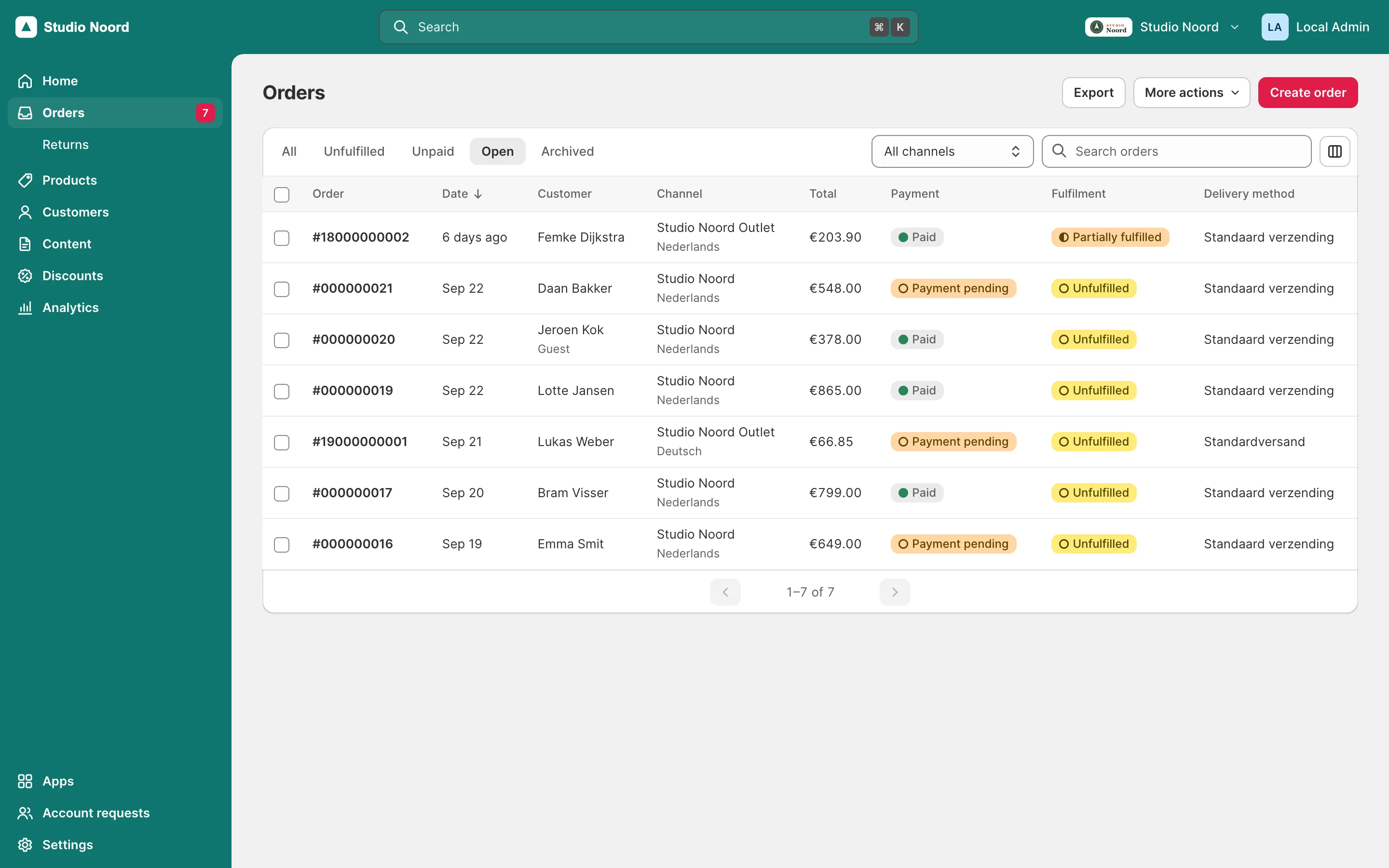
- Simple mode shows the Light shell: the Light navigation, Home, the Light lists and editors. A stock screen that a Light page replaces sends the admin to that page.
- Advanced mode shows the stock Magento admin.
- The stock view. In simple mode an admin can open one stock screen through the advanced view ("Open in advanced view"). The stock screen then keeps the Light top bar and navigation until the admin opens a Light page again. Links to it carry
mrx_stock=1.
Code asks for the mode through Mrx\Light\Api\ModeInterface (isSimple(), isStockView(), showsLight()), in the admin area only. Layout can use the handles mrx_simple and mrx_advanced. The advanced view, the route map and header actions has the details.
Rules every module follows
The area rule. Register an item in the area where core declares the pool. Magento replaces a global argument with the area's argument instead of merging the two, so an item in the wrong file makes other items vanish. Almost every pool is in etc/adminhtml/di.xml. Three are global and go in etc/di.xml: role_areas, role_presets and payment_switches. The generated reference lists the area of every pool, and the doctor reports wrong_area and two_areas. The pilot adds its role access in its global etc/di.xml:
<item name="customers" xsi:type="array">
    <item name="resources" xsi:type="array">
        <item name="account_requests" xsi:type="string">Disrex_RequestAnAccount::registration_requests</item>
    </item>
</item>
The light route rule. Light pages live under the admin front name light. A module adds its controllers to that route with before="Mrx_Light", and names its controller folder after itself, so two modules never claim the same light/<controller> path. The doctor reports a clash as light_collision.
<router id="admin">
    <route id="light">
        <module name="Disrex_RequestAnAccountLight" before="Mrx_Light"/>
    </route>
</router>
The module gate. An item that depends on another module names it, so the item goes inert when that module is off: no broken links, no errors. Array items take the key module. Object items and controllers carry the #[RequiresModule] attribute, and a controller with it answers 404 while the module is off. Register object items as \Proxy when their constructor needs the other module's classes.
<item name="module" xsi:type="string">Disrex_RequestAnAccount</item>#[RequiresModule('Disrex_RequestAnAccount')]moduletakes one module name, or a list of names that must all be enabled.- A gated controller counts as missing: a nav item falls back to its
fallback_route, a stock screen is not sent to it, and a link to it without a fallback is hidden, so a forgottenmodulekey never leaves a 404 link. - ACL is not a gate. Full-access roles pass an unknown ACL resource, so a
resourceof a disabled module hides nothing: usemodule. - A malformed attribute, such as
#[RequiresModule(['Vendor_Module'])], closes only its own class and logs an error. - The gate can't help once a package is removed from
vendor/: its classes no longer load.
Provider keys. A class that returns nav items at runtime names its fixed keys with #[ProvidesNavItems('key')], so the doctor accepts a counter, a to-do or a child item that points at one (A nav item with a counter).
Pools. Every pool is a DI array keyed by code, and items with the same key merge, so a module can change another module's item (Changing Light for one shop). Light calls every object item inside try/catch: an item that throws is logged in var/log/system.log and left out, and the rest of the pool keeps working. Labels in di.xml are translated when they render, so keep translate="true", which i18n:collect-phrases reads, and put the Dutch in your module's i18n/nl_NL.csv.
Colours only through tokens. Module CSS uses the --mrx-* tokens and never a literal colour, so every admin theme, light and dark, draws your screens correctly. A module-local token uses the module's own prefix and defaults to a core token.
Keep Light simple. Read Built for Light before you add a nav item, a card or a setting. It says when not to add one.
AI. disrex/module-ai always ships with Light. If your module calls an LLM, use LlmClientInterface; Settings > AI limits apply (AI in your module).
Hyvä. Hyvä code goes in a -hyva module, never in a module's Light glue. Hyvä code in a -hyva module shows how.
Three cases
| Case | What you write | Start with |
|---|---|---|
| Pattern A: a bridge | A separate module <Vendor>_<Name>Light for a module you don't own, or want to keep free of Light code | Getting started, Case study: disrex/module-request-an-account |
| Pattern B: built in | XML glue in your module and PHP glue in <Vendor>_<Name>LightCompat, one package that also works on shops without Light | Getting started |
| A per-client change | A module that changes or removes items Light or another module declares, and sequences that module | Changing Light for one shop |
Contract version
0.4.0 is a public beta
While the API is 0.x, a minor release such as 0.5.0 may break and a patch release never does. Declare ^0.4 now, and retest when 0.5.0 comes out.
Mrx\Light\Api\ExtensionApi::VERSION is the Light API version, and ExtensionApi::satisfies() checks a range against it. Every module that extends Light declares the range it supports in extra.mrx-light-api of its composer.json, and Light hides a module whose range doesn't match. The API is 0.x during the public beta that 0.1.0 launches, and 1.0.0 follows after the testing phase. Versioning has the rules, Upgrading what changed, and Changelog every addition.
Where to start
- Install Light: Light in a shop from packages.disrex.nl, Returns as an add-on, and updating.
- Getting started: a first Light app in 15 minutes, for pattern A and for pattern B, and the checklist before you ship.
- How Light fits together: the parts of Light, a request to a Light page, the three ways to plug in and the public API, as diagrams.
- Built for Light: six rules for when to add something, and when not to.
- Recipes, one per job:
- An app, its category and pins: an app card, its category and pins
- A settings page from your system.xml: a settings page from your
system.xml, and notification emails - A nav item with a counter: a nav item with a counter
- Fields on a Light editor: fields on a product, category, CMS, discount or customer editor
- Light lists: Light lists, columns, bulk and row actions
- Your own list and detail pages: your own list and detail pages
- Order and customer pages: order actions, timelines, totals and cards
- The advanced view, the route map and header actions: the advanced view, the route map and header actions
- Users and permissions: roles that reach your screens
- Changing Light for one shop: changing and removing items another module declares
- Home to-dos, setup steps and widgets: Home to-dos, setup steps and widgets
- The command palette: the command palette
- Channels and store views: channels and store-view settings
- A brand package: a brand package
- An admin theme module: an admin theme module
- Hyvä code in a -hyva module: Hyvä code in a
-hyvamodule - AI in your module: calls to an LLM, with a purpose of your own, inside the shop's AI limits
- Reference:
- Extension targets: every pool, container, handle, form, JS module and event (generated)
- API reference: every
@apitype (generated) - Events, JS modules and #mrx-config keys: DOM events, server events, JS modules and
#mrx-configkeys - Compatibility gate messages: every message of the compatibility gate
- Glossary: Light's words and what Magento calls them
- Versioning, Upgrading, Changelog: the contract, how it changes, and what changed.
- Testing and Troubleshooting.
- Case study: disrex/module-request-an-account: the first real module on Light, from install to sign-off.
- For your module's own pages, use sections 1 to 16 of the Design system: page layout, the page header, components, JS modules, forms with the save bar, lists, navigation, redirects, the palette, modes, translation, environment notes, browser tests and channels. Admin themes have their own contract in Admin themes.
Last updated on