Troubleshooting
Symptoms, causes and fixes, and one entry per doctor rule.
Each entry gives the symptom, the cause and the fix, and names the doctor rule or command that finds it. Design system, section 14 keeps the full list of environment notes for this development setup.
Problems
A new plugin does nothing
- Cause. Interceptors are compiled (
creatuity/magento2-interceptors): each generated interceptor has its plugin chain baked in, andcache:cleandoesn't touch it. - Fix. Delete
generated/metadata/staticcache/*.phpand the interceptors of the classes that should change, on the host and in the container. Both regenerate on the next request. Do the same for a controller whose constructor you changed.
A DI item vanished
- Cause. Magento replaces a global argument with the area's argument instead of merging them. An item in
etc/adminhtml/di.xmlfor a pool core declares globally wipes the global items in the admin, and the other way around. The role presets once disappeared this way. - Fix. Register in the pool's area (Light developer guide). Detected by
wrong_areaandtwo_areas.
A pack's wording doesn't show
- Cause. The pack's CSV row has the same English key as a core row, and the core module loads after the pack. The same goes for a pack's
keywordsstring or block argument. - Fix. Add the core module to the
<sequence>of the pack'setc/module.xml, thenbin/magento cache:flush. Deletepub/static/deployed_version.txtif JavaScript reads the phrase.
A phrase shows Magento's wording instead of yours
-
Cause. An installed language package translates the same English phrase. Magento loads language packages after every module CSV, so the package wins.
community-engineering/language-nl_nlshows "Tax" as "BTW", for example. -
Fix. Give your module an English phrase only it uses, then add the rows for it. In this repository
docker exec -u www-data -w /var/www/html magerexlight-php-fpm-1 php tests/i18n/dictionary.php nl_NL --packsprints what the installed language packages translate. Neither the doctor nor the consistency test of core looks for this clash. -
Fix, when you can't change the phrase. Some phrases come from a module you don't own, such as module-rma's "Reason", which the Dutch package shows as "Activiteit". Name the phrase in the pool
prefer_phrases(an argument ofMrx\Light\Plugin\Translation\PreferModulePhrases, global area), keyed by locale, with the module whosei18n/<locale>.csvholds your row. Light then writes that row over the package's, everywhere the shop shows the phrase in that language. The row still has to exist in the module's CSV; a missing CSV file leaves the package's text and logs a warning, and a disabled module's item does nothing. A form-of-address variant and a theme CSV still beat the row. Core's own list, whichMrx_Returnsextends with module-rma's phrases in itsetc/di.xml:app/code/Mrx/Light/etc/di.xml <type name="Mrx\Light\Plugin\Translation\PreferModulePhrases"> <arguments> <argument name="phrases" xsi:type="array"> <item name="nl_NL" xsi:type="array"> <item name="status" xsi:type="array"> <item name="phrase" xsi:type="string">Status</item> <item name="module" xsi:type="string">Mrx_Light</item> </item> <item name="customer_view" xsi:type="array"> <item name="phrase" xsi:type="string">Customer View</item> <item name="module" xsi:type="string">Mrx_Light</item> </item> </item> <item name="de_DE" xsi:type="array"> <item name="returns" xsi:type="array"> <item name="phrase" xsi:type="string">Returns</item> <item name="module" xsi:type="string">Mrx_Light</item> </item> <item name="product" xsi:type="array"> <item name="phrase" xsi:type="string">Product</item> <item name="module" xsi:type="string">Mrx_Light</item> </item> </item> </argument> </arguments> </type>Keep the list short: each item replaces the package's wording for the whole shop, on every screen that prints the phrase, including Magento's own. Run
bin/magento cache:flushafter the change.
A change doesn't show
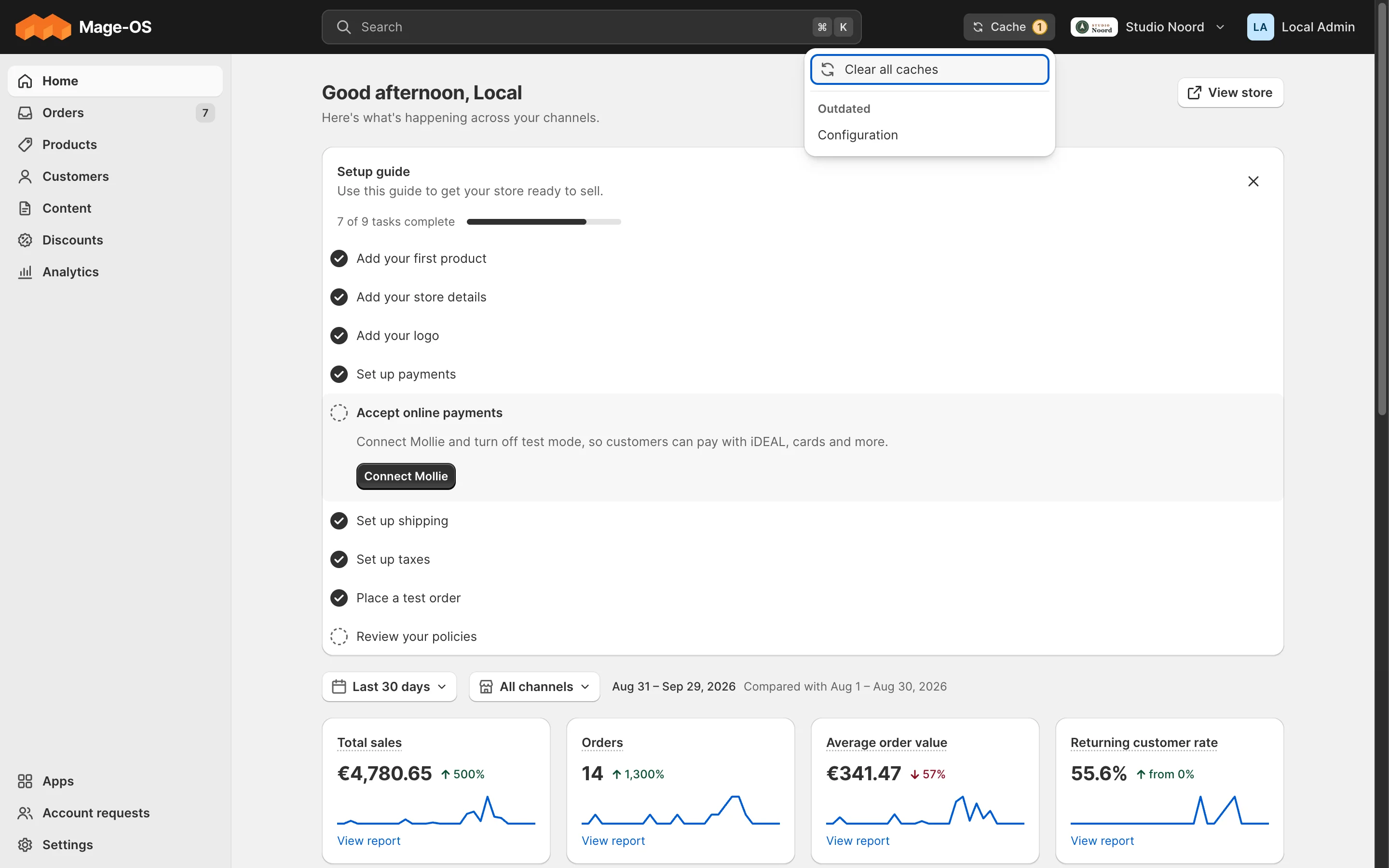
- Cause. A cache: config for di.xml, routes, ACL and
system.xml, layout for layout files,mrx_light_badgesfor counts, and config for the theme list. - Fix.
bin/magento cache:clean, after the container has your change (below). Templates, CSS and JS need no clean in developer mode.
CSS or JS is old
- Cause. Static files are cached for a year under a versioned URL.
- Fix. Hard-reload the browser, or bump
pub/static/deployed_version.txt(no newline at the end of the file).
The container sees an old file
- Cause. Files reach the container through Mutagen, a few seconds late.
- Fix. Wait until
docker exec magerexlight-php-fpm-1 grep -c '<new text>' /var/www/html/<file>prints 1 or more, then clean the cache. A clean before that caches the old config again.
A counter looks stale
- Cause. A count stays fresh for its
ttl(default 60 seconds) and is refreshed in the background after that; nothing dropped it when the work changed. - Fix. Call
BadgeCacheInterface::invalidate('<nav item>')where your code changes what you count, in any area (A nav item with a counter).bin/magento cache:clean mrx_light_badgesclears every count.
Counters load late
- Cause. The cache type
mrx_light_badgesis disabled in Cache Management, so every page asks for every count in the background. - Fix. Enable it:
bin/magento cache:enable mrx_light_badges.
A pattern-B compat module or a bridge doesn't appear
- Cause. Its range guard left it unregistered:
class_exists()found noExtensionApi, orsatisfies()said the Light API is outside its range. - Fix.
bin/magento module:status <module>doesn't list it. Install a release for this Light API. Detected byapi_constraint, whose line ends "its registration guard left it unregistered. Update or remove the package.", andpattern_bfor a compat module without a proper guard.
A module's Light parts are gone, or a red banner says "Light API … hides"
- Cause. The compatibility gate hides a module whose declared range doesn't include this Light API (Versioning).
- Fix. Follow the fix of the message in Compatibility gate messages, then run
bin/magento cache:clean config layout.configalone leaves the cached layout stale. Detected byapi_constraint,api_undeclared.
A storefront change of a -hyva module doesn't show
- Cause. The
-hyvamodule is disabled, its range guard left it unregistered, orapp/etc/hyva-themes.jsondoesn't list it. - Fix. Enable it, check its range, then
bin/magento hyva:config:generateand the Tailwind build of your Hyvä theme. Detected byhyva_in_corewhen the Hyvä code sits in a core module instead (Hyvä code in a -hyva module).
Every admin page fails after a Light major, with "must be compatible"
- Cause. A module has Light PHP and no range guard, so its class that implements a changed Light interface still loads. The gate can't hide a class that doesn't compile.
- Fix. Add the range guard to its
registration.php. Detected byapi_constraint"no range guard", in the doctor and in thesetup:upgradeoutput, throughout the major before.
A stock screen keeps jumping back to Light
- Cause. In simple mode the route map sends a stock screen to its Light page. A link to the stock screen without
mrx_stock=1gets redirected. - Fix. Build the link with
AdvancedUrlInterface::get(), which addsmrx_stock=1and keeps the stock screen open until the admin opens a Light page (The advanced view, the route map and header actions).
Light keeps sending you to the two-factor screen
- Cause. Magento_TwoFactorAuth is on, and a module that switches the second factor off, such as MarkShust_DisableTwoFactorAuth, is installed. Such a module skips Magento's two-factor check without granting the two-factor session. Stock pages open, because the check they need never runs. Light asks Magento_TwoFactorAuth itself whether the session is granted, gets no, and sends every Light page to the two-factor screen,
tfa/tfa/index.bin/magento mrx:light:doctorwarns about it withtfa_bypass. - Fix. Either let the bypass grant the session: a plugin that calls
Magento\TwoFactorAuth\Api\TfaSessionInterface::grantAccess()where it skips the check. Or, on a development machine, switch the two-factor module off instead of bypassing it:bin/magento module:disable Magento_TwoFactorAuth(on Magento, together withMagento_AdminAdobeImsTwoFactorAuth, which depends on it), thenbin/magento setup:upgrade. Light opens without a second factor when the module is off. Neither belongs on a live shop: keep the second factor there. - Not this case. Signing in with an Adobe ID (Magento_AdminAdobeIms with
adobe_ims/integration/admin_enabledon) skips Magento's second factor by design, and Light follows Magento: it opens after the Adobe ID sign-in. The doctor only notes it, withtfa_adobe_ims.
CSP errors on an admin page
- Cause. An inline
<script>, anon*=attribute or ajavascript:URL in a template. - Fix. Start your JS with
x-magento-initordata-mage-init, or a form hook; a script that must be inline goes throughSecureHtmlRenderer::renderTag(), and external hosts inetc/csp_whitelist.xml. Detected byinline_script.
Emails still look like Luma
- Cause. One of three. "Magento classic" is on (Stores > Configuration > Sales > Emails and documents (Light) > Advanced), so Magento's own header, footer and styles are back. Or
design/email/header_templateorfooter_templateholds a number, a template saved in Marketing > Email Templates, which wins over Light's. Or, on a development machine, the generated interceptor ofMagento\Email\Model\Templatewas built before Light's plugin existed, so the plugin never runs. - Fix. Switch classic off; set Header Template and Footer Template in Content > Design > Configuration back to the default; or delete
generated/code/Magento/Email/Model/Template/Interceptor.phpandgenerated/metadata/staticcache/*_compiled_plugins.php, on the host and in the container, thenbin/magento cache:flush(A new plugin does nothing). In production mode,setup:di:compilebuilds the interceptor. Detected byemail_shell_configfor the second cause.
An email shows __MRX_ACCENT__
- Cause. A token of the email CSS reached the mail unswapped. Most often a copy of
email.cssoremail-inline.cssdeployed topub/staticbefore an upgrade, which wins over the module's file. On a development machine it can also be an interceptor ofMagento\Email\Model\Template\Css\Processorbuilt before Light's plugin existed. - Fix. Run
bin/magento setup:static-content:deploy(in developer mode, delete the stale copy underpub/static/frontend/<theme>/<locale>/Mrx_Documents/css), then deletegenerated/code/Magento/Email/Model/Template/Css/Processor/Interceptor.phpif it is old andbin/magento cache:flush. Detected byemail_css.
Edited texts don't show in storefront or cron mails
- Cause. A module registered its
emailsitems inetc/adminhtml/di.xml. The pool is global: Magento replaces a global argument with the area's, so the items exist in the admin only, and the mails sent from the storefront, cron and the REST API never see the texts the owner saved in Settings > Customer emails. - Fix. Move the items to
etc/di.xml. Detected bywrong_area.
PDFs use a fallback font
- Cause. dompdf reads TrueType only. A WOFF2 file in a
@font-facefalls back to DejaVu Sans without a warning, and so does a weight the CSS never declared. - Fix. Ship the font as TTF and declare one
@font-faceper weight the CSS uses (Your module's document). Light's own Inter comes with four weights, 400, 500, 600 and 700.
PDFs fail after an upgrade
- Cause. The font cache in
var/mrx_documents/fontsbelongs to root, because a PDF was printed or a command run from a root shell. dompdf rewrites a file there for every new font, and the PHP-FPM user can't. - Fix. Give the folder to the PHP-FPM user:
chown -R www-data: var/mrx_documents, with the user your shop's PHP-FPM runs as. Run Magento commands as that user.
A PDF misses what a module's plugin added
- Cause. While Magento classic is off, Light prints invoices, credit memos and packing slips from its own templates. A plugin on the stock drawing code, such as
insertOrder(),_drawItem()or an item renderer frompdf.xml, never runs, and nothing reports an error. - Fix. Move what the plugin added into an item line or a document type of your own (Plugins on the stock PDF classes). Detected by
pdf_inner_plugin.
The accountant ZIP has no PDFs
- Cause. The period holds more than 300 invoices and credit memos, so the ZIP keeps the CSV files and leaves the PDFs out. dompdf can't render more inside one request, and the export screen says so under the count.
- Fix. Choose a shorter period, a month or a quarter, and export again. The limit is
ZipExport::MAX_PDF_DOCUMENTS.
The invite link expired
- Cause. The invite is Magento's "Forgot your password?" link, so it lives as long as
admin/security/password_reset_link_expiration_periodsays, 2 hours by default. - Fix. Open the user in Settings > Users and choose "Send invite again". It makes a new link and mails it. If the mail fails, the screen shows the link to send yourself.
Why setup:di:compile isn't run locally
The development container runs from generated code that developer mode builds on demand. setup:di:compile would replace it and break the running shop, so the pattern-B compile check runs in its own container (Testing).
Doctor rules
bin/magento mrx:light:doctor judges Light and the modules that extend it, and exits 1 on any error about one of them. --module=<name> limits it to one module.
A module counts as extending Light when any of these holds:
- its name starts with
Mrx_orMageRex_; - it adds to a Light pool (a row in a pool of Extension targets);
- its layout uses an
mrx.*name; - it owns a
light/*route; - it loads after a Light core module through
<sequence>; - its
composer.jsondeclaresextra.mrx-light-api; - it names a Light core class in its PHP, templates or XML, so a lone
<plugin>or<preference>on a Light class counts without a<sequence>.
Its rules also read other modules' code, such as mail templates or a composer.json under app/code. Findings about a module that doesn't extend Light are not counted: the report ends with one summary line, <n> findings about <m> modules that don't extend Light, not counted. Run with --all to list them. --all (or --module with that module's name) lists them as info, and JSON carries them under other. They never make the doctor exit 1, so an agency shop's own modules can't fail an install check on code Light can't change.
unknown_key (error)
A key the pool doesn't read, often a typo. Light ignores it. Fix: use a key from Extension targets.
wrong_area (error)
An item registered in another area than the pool's. Fix: move it to the pool's area.
two_areas (error)
A module registers the same pool in two areas, so one replaces the other. Fix: keep it in the pool's area.
parse_error (warning)
A di.xml that doesn't parse. The doctor skips the file. Fix: make it valid XML.
light_collision (error)
Two modules answer the same light/<controller>/<action>, and the router reaches only one; often a bridge left installed next to a module with the same Light pages built in. Fix: rename your controller folder, or remove the bridge.
require_range (error)
The installed version of the module behind your bridge is outside the range your composer.json requires. It skips dev-* versions. Fix: test and widen the range (Versioning).
unknown_resource (error)
An ACL id that isn't in the tree. It hides the item from staff only, because full-access roles are allowed everything. Fix: use an id from an acl.xml.
unknown_container (error)
A referenceContainer whose container doesn't exist, so Magento drops the block. Fix: use a container from the reference.
unknown_reference (error)
An item that points at a code nobody registered. The kind, in brackets at the start of the message, says what it points at: parent (a nav item's parent), target (a nav item with neither route nor url), item (a claim's nav_key or a counter's nav item), badge (the nav item a to-do's or an app's badge, or a nav_badges key, names), section (a Settings card's group, or a config_sections section that no system.xml declares), role_area (resources added to a role area no module declares), form (a form_extensions form code) or page (a header_actions page no Light route serves). A nav item key counts when a nav_items entry declares it or a provider in nav_providers names it with #[ProvidesNavItems]. Fix: correct the code, sequence the module that declares it, or name the key on the provider that returns it (A nav item with a counter).
private_api (error, or warning)
Your module names a Light class that isn't @api. It is an error when your module declares extra.mrx-light-api, a warning otherwise. A -hyva module may name its one base module's classes. Fix: use the @api surface (API reference).
deprecated_use (warning)
Your module uses a deprecated @api member. Fix: move to the replacement the tag names (Upgrading).
api_constraint (error)
Your module is out of range or skipped, its range guard or require on mrx/module-light holds another range than extra.mrx-light-api, or it has Light PHP without a range guard. Fix: see Compatibility gate messages.
api_undeclared (warning during 0.x, error from 1.0.0)
Your module contributes to or uses Light without extra.mrx-light-api. Fix: add the range.
api_range_form (warning)
A range that isn't ^X.Y parts joined by ||. Fix: declare ^0.4 during the beta, or parts such as ^1.0 || ^2.0 after 1.0.0.
mixed_layout (warning)
A layout file off the Light handles references an mrx.* container, so the gate would drop its other changes too. Fix: move the Light references into a light_* or mrx_* layout file.
hyva_in_core (error)
A core module names Hyvä. Fix: move the code to the module's -hyva module (Hyvä code in a -hyva module).
country_pack (warning)
The store is based in a country that has a Light country pack, and the pack isn't enabled. The message reads "Your store is based in NL, and mrx/module-country-nl isn't enabled, so Light has no tax setup, business ID checks, carriers or legal page drafts for NL." Core then runs on its neutral defaults. Fix: install the pack (mrx/module-country-nl for the Netherlands, or magerex/distribution-nl for a whole Dutch shop) and enable it.
pattern_b (error)
A <Base>LightCompat module is registered, and its base module has Light PHP, an object item or preference naming a Light type, the compat folder inside its path, or a compat registration.php without the range guard or with another range than the root composer.json. Fix: follow the pattern-B rules (Getting started).
inline_script (warning)
A template with an executable inline <script>, an on*= attribute or a javascript: URL. Fix: see "CSP errors" above.
nav_sort (warning)
Two nav items under one parent share a sort_order, so module load order decides their order. Fix: pick another sort_order.
nav_shortcut (warning)
Two nav items share a keyboard shortcut. Fix: pick another shortcut, or none.
app_category (warning)
An app descriptor names a category that doesn't exist, so Apps files the app by its menu instead. Fix: use a core category (An app, its category and pins).
missing_module (warning)
An item's module names a module that isn't installed, so the item never shows. Fix: correct the name, or drop the item.
override_order (warning)
Your change to another module's item depends on module load order: your module.xml doesn't sequence the declaring module. Fix: add the <sequence> (Changing Light for one shop).
override_gate (warning)
Your change to another module's item sets module, which replaces the declaring module's gate. Fix: remove module from the change.
unknown_icon (warning)
An icon name Light doesn't know; it would draw the "info" icon. Fix: use a registered icon, or register yours (Your own list and detail pages).
schema_field (error)
A settings page names a field in simple, advanced, labels or notes that the section doesn't have, or an advanced entry that is already in simple, holds no value, stores a list or is past the sixth row. Fix: use the <group>/<field> path from your system.xml, and list a field once, in simple or in advanced.
validate_class (warning)
A system.xml field's validate class that the Light settings page can't run. Fix: move the check to the page's validator (A settings page from your system.xml).
acl_unreachable (warning)
Your module adds Light screens, but no role area reaches its resources, so staff never see them. Fix: add your resource to an area (Users and permissions).
email_shell (warning)
A frontend HTML email of your module doesn't include the email header or footer, so it goes out without the shop's logo, footer and styles. Fix: start the body with {{template config_path="design/email/header_template"}} and end it with the footer include (Your module's email and document).
email_inline_style (warning)
An email body has more than 3 style attributes, which the owner's format can't restyle. Fix: use the email classes (Your module's email and document).
email_shell_config (warning, or error)
A warning when a store's email header or footer is a template saved in Marketing > Email Templates: it wins over Light's, so the look applies only partly. An error when it names a template id that is no longer registered, so every mail fails with "Email template is not defined". Fix: set Header Template and Footer Template in Content > Design > Configuration back to the default, or delete the saved template.
email_css (error)
Mrx_Documents' email CSS is missing, or a deployed copy in pub/static is older than the module's file, so mails go out without their look or with the old one. Fix: run setup:static-content:deploy; in developer mode, delete the stale copy.
pdf_inner_plugin (warning)
A module plugs or replaces a class of Magento\Sales\Model\Order\Pdf that draws the stock invoice or credit memo PDF (insertOrder(), _drawItem(), an item renderer from pdf.xml), or plugs getPdf() itself. Light prints those PDFs from its own templates while Magento classic is off, so the plugin doesn't run and what it added is missing, with no error. Fix: move it into an item line or a document type of your own (Your module's document).
tfa_bypass (warning)
Magento_TwoFactorAuth is enabled, and so is a module known to skip its check: MarkShust_DisableTwoFactorAuth or WolfSellers_EnableDisableTfa. Stock pages open, but every Light page sends the admin to the two-factor screen. A warning, so the doctor still exits 0. Fix: see Light keeps sending you to the two-factor screen.
tfa_adobe_ims (note)
Magento_TwoFactorAuth and Magento_AdminAdobeImsTwoFactorAuth are on, and admins sign in with an Adobe ID (adobe_ims/integration/admin_enabled). Magento then skips its own second factor, since the Adobe ID brings its own, and never grants the two-factor session; Light follows Magento and opens after the Adobe ID sign-in without the two-factor screen. The finding is about a Magento module, so the doctor lists it with the findings it doesn't count (--all, or --module=Magento_AdminAdobeImsTwoFactorAuth) and still exits 0 (in --format=json it sits under other with level warning). Nothing to fix.
store_override (warning)
A store view has a value of its own for a setting Light shows per channel, set in the advanced view (or written by an import or a data patch). It wins on the storefront for that language, while the settings page shows the channel's value. One warning per row, naming the path and the store view (code, id, language and channel). Texts Light keeps per language itself, such as payment titles or the locale, are not listed. A warning, so the doctor still exits 0. The message says where to remove it: on the settings page that shows the setting (Settings > Checkout), or, for a setting of a payment provider's own section (Mollie, Pay.), that provider's settings on Settings > Payments or the advanced view, or, for a setting no Light page shows (a theme's setting, the compare link, the wishlist), only in the advanced view: Stores > Configuration at that store view, or Content > Design > Configuration for a logo. Fix: remove the value with "Remove the Deutsch value" (the language it names) under the field, or in the advanced view at that store view (Store-view values from the advanced view). Keep it when that language really needs its own value; Light doesn't edit it.
legal_page_hidden (warning)
Settings > Legal pages links a page for a language, but a store view of that language can't open it: the page isn't visible there ("Visible on"), or it no longer exists. That store view reads the link like the others of its language, so its footer leaves the page out while Settings > Legal pages shows it as linked. Typical after a second channel: its Dutch store view reads the Dutch link, and the page was made visible for the first channel's Dutch store view only. One warning per link, naming the page, the legal page type, the language and each store view (code, id, language and channel). A warning, so the doctor still exits 0. Fix: add the store view under "Visible on" on the page. When the page is visible in another store view of that language, saving Settings > Legal pages under All channels adds the rest too, unless the admin who saves may not save pages (Magento_Cms::save) or the page can't be saved in that store view, such as when another page uses its URL key there. A page of another language, or one that is gone: link another page on Settings > Legal pages.
rule_failed (error)
A doctor rule itself threw. The message names the rule and the error. Fix: report it with the message; the other rules still ran.
Last updated on